The Secret Dangers Lurking in Your Home Wi-Fi
Your kid just walked by you with her phone. They smiled, said goodnight and shut the door to their bedroom. Everything seems normal.
But what if it’s not?
Most of their parents think they know what their kids do online. They trust their children. They believe that bad things only befall other families. But studies show that 95% of teens have access to smartphones and 45% say they’re online “almost constantly.”
The internet moves fast. Threats evolve faster. And while you fret over screen time, actual dangers sit right in front of you.
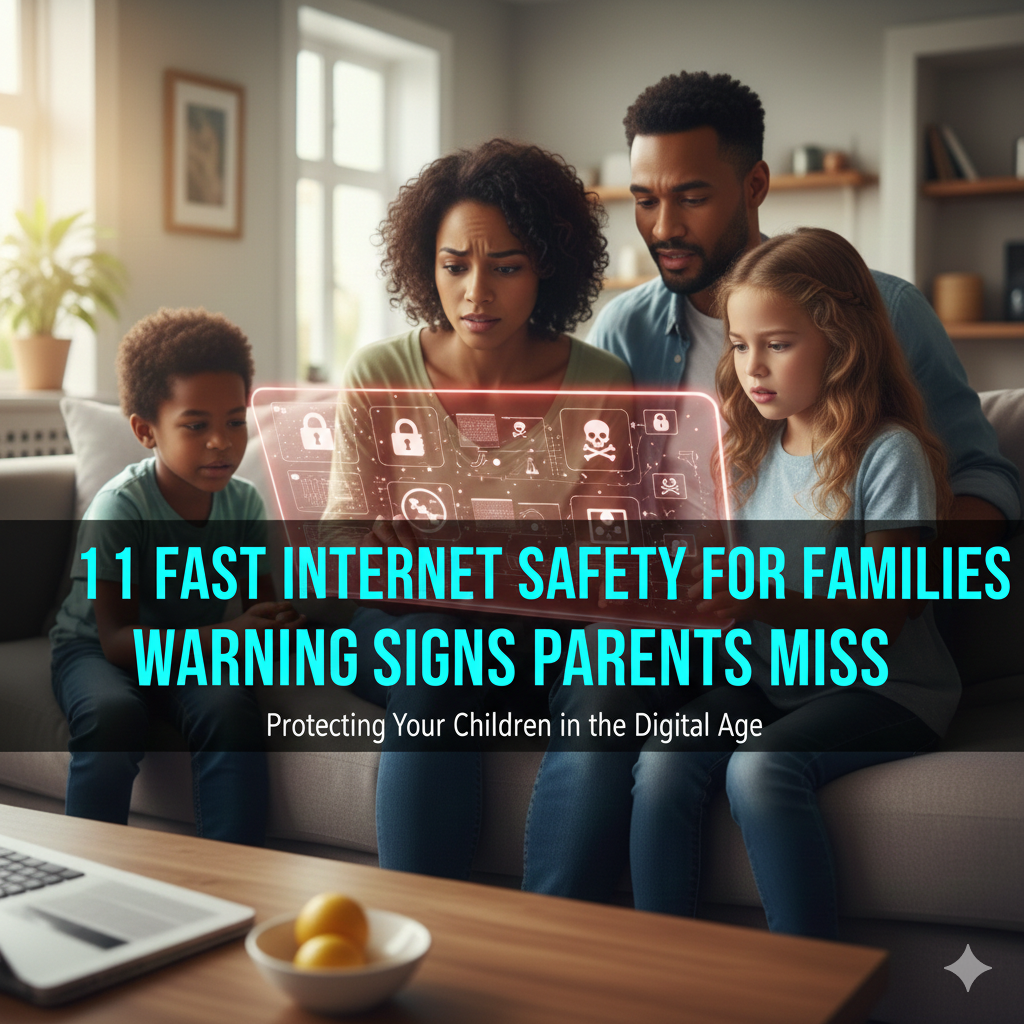
This article will open your eyes to 11 warning signs that too many caring parents disregard. These aren’t unmistakable red flags. They are subtle shifts in behavior, device use and digital footprints that indicate major trouble.
Let’s protect your family together.
1. The Mysterious Vanishing Browser History
Your kid’s browser history is suspiciously empty. Too clean.
Furthermore, most teenagers don’t know how to clear their browsing history. When they do, it’s under a cloud.
Why This Matters:
Children who routinely delete their browsing history are likely hiding something. This might be inappropriate websites, conversations they shouldn’t have or content that they know you wouldn’t approve of.
What Parents Miss:
- Privacy mode just becomes their standard setting
- History cleans itself up periodically (pre-checking your devices)
- Several web browsers on the same device
- Incognito mode windows that were opened by mistake
Action Steps:
Check your router logs. These reveal every site you have visited on your home network, even if you delete browser histories. Your internet service provider provides you with parental control measures that keep a record of this information.
Set up device-level monitoring. A lot of phones and computers also enable parents to receive reports of which webpages their kids visit, even in private mode.
Talk openly. Sometimes children delete history because they are ashamed of normal curiosity, not because they’re at risk.
2. Weird Permissions That Apps Use for No Reason
Why does a calculator app want to see your child’s camera, microphone and location?
It doesn’t. But dangerous apps are often disguised as innocent utilities by predators.
Red Flag Patterns:
Apps that demand access far beyond what they need to do their job are a red flag. A flashlight app doesn’t require access to your contacts. A game doesn’t need access to the microphone.
Apps That Hide in Plain Sight:
Other apps masquerade as homework aids or other normal utilities, but are actually hidden messaging systems, secret photo vaults and clandestine chat rooms.
Common Disguised App Types:
| App Category | Original Purpose | Risky Permission Requests |
|---|---|---|
| Calculator | Vault for photos/videos | Camera, File Access |
| Utility/Tools | Secret messaging | Contacts, Location |
| Gaming Apps | Anonymous chatting | Microphone, Camera |
| Educational | Bypassing parental controls | System Settings Access |
What You Should Do:
Review app permissions monthly. Work through all the apps on your child’s device and question each permission you allow.
Before discarding them, investigate unknown apps. Googling app name and “parent concerns” provides you with useful information.
Enable permission notifications. Train your family devices to notify you when apps ask for new access.

3. Odd-Hour Spikes in Screen Time
It’s 2 a.m. and you are fast asleep when your kid needs their phone “for homework.”
Legitimate late-night study sessions happen. But dramatic overnight increases in screen time are usually a signal of trouble.
Warning Patterns:
- Midnight to 5 AM device usage increases sharply
- Phone battery life bad overnight (worse than what’s normal)
- They sleep with gadgets under pillows or stashed nearby
- Severe tiredness and grumpiness in the day
Why Nighttime Matters:
Predators know parents sleep. When adults aren’t looking, cyberbullies pounce. Obscene material gets consumed when homes go silent.
There is a rise of online gaming addiction during the late hours when self-regulation from fatigue wears off.
Monitoring Without Invading Privacy:
Monitor screen time reports that are built into most devices. They display an exact pattern of usage without exposing specific content.
Set automatic device shutdowns. Many phones allow parents to turn off internet access during specified sleep hours.
Create a family charging station. All devices spend the night in a communal area, not individual bedrooms.
4. The Device Angle Shift
Notice the way your kid is holding their phone when you walk into the room. Does the screen abruptly tilt away?
This subtle movement speaks volumes.
Body Language Tells:
- Screen automatically raises itself when you enter the room
- Fast app switching when you walk by
- Phone placed face-down more frequently
- Tension when you ask about what they’re watching
Beyond Normal Privacy:
Teenagers deserve privacy. Normal boundaries are one thing, and secrecy or hiding behavior that is dangerous is quite another.
Standard privacy: “My friend and I are texting about personal things.”
Warning signs: Physical panic when you walk in, frantic screen swiping, defensive aggression.
Building Trust While Staying Safe:
Create open communication channels. Kids are less likely to hide when they believe their parents will respond calmly.
Frame monitoring as safety, not punishment. Think of device checks as shielding from external threats, not distrust for them.
5. New “Friends” No One’s Ever Met in Person
Your child is always talking about new friends. They talk for hours daily. But these friends have never visited your house, attended a school function or had their parents call yours.
Online-Only Relationships:
Not all virtual friendships are suspicious. Many are genuine, healthy connections.
But predators do actually seek out online-only relationships. They isolate victims directly from offline support structures.
Concerning Patterns:
- Friends who insist on keeping the relationship secret
- Online adults who make friends with kids without referring to a parent
- Demands for private video chats or photos
- Pressure to meet face-to-face, secretly from parents
- Friends who discourage you from confiding in your parents about the relationship
Age Verification Failures:
Several networks have age restrictions of 13 years or older. Kids lie about age. So do predators.
A self-styled 15-year-old might be a 45-year-old. Someone who claims to be just a short drive away could, in fact, be on the opposite side of the country.
Protection Strategies:
Know whom your child is friends with online. Inquire about those they frequently come into contact with.
Verify identities when possible. Video chats with parents nearby can also help confirm ages and intentions.
Educate them about what healthy friendships look like and how grooming works. For more comprehensive guidance on protecting your children online, visit Internet Safety Guide for expert resources and tools.
6. Lack of Interest in Family Activities That Used to Bring Them Joy
It was family game night that your daughter really loved. Now, she barely participates, though her eyes are fixed on her screen.
Your son played soccer enthusiastically. Suddenly, he wants to quit.
Behavioral Changes Matter:
Lurching phenomena of interest and social shifts that seem to dovetail with online experience.
Cyberbullying causes withdrawal. Gaming addiction replaces real-world activities. Inappropriate online relationships consume attention.
What This Looks Like:
- History of achievement in school but the grades are dropping
- Giving up hobbies and sports that used to bring them enjoyment
- Avoiding family meals and conversations
- Becoming more aggressive regarding screen time usage
- Physical complaints such as headaches or sleep difficulties
The Connection Chart:
| Offline Behavior Change | Possible Online Cause | Warning Level |
|---|---|---|
| Sudden friend group change | Cyberbullying or online influence | High |
| Sleep pattern disruption | Gaming addiction or inappropriate chatting | High |
| Academic decline | Excessive screen time or emotional distress | Medium |
| Loss of interest in hobbies | Device dependency or online obsession | Medium |
| Social withdrawal | Online harassment or predatory relationship | Very High |
Intervention Approaches:
Treat the symptoms, address the cause behind it. Confiscating devices when you don’t even know why they had a negative change does not end well.
Seek professional help when needed. Therapists specializing in adolescent digital behavior are a precious resource.
7. Suspicious Money Requests or Disappearing Gift Cards
Your child has an unexplained need for cash. Gift cards disappear. Small amounts regularly go missing.
Financial Red Flags:
- Strange requests for iTunes, Google Play or Amazon gift cards
- Cash missing from wallets or purses
- Unfamiliar charges on family credit cards
- Curiosity about cryptocurrency and digital payment apps
- Selling personal belongings online without explanation
Why Money Matters:
Financial exploitation is a common form of harm associated with many online risks. Gaming addiction may lead to in-app purchases. Scammers exploit children to send money or gift cards.
On some occasions online predators ask for financial details or payments during grooming.
Protection Measures:
Check kids’ devices and financial accounts tied to the device. Turn on purchase notifications and authorization requirements.
Discuss online scams openly. It’s important for children to understand common manipulation tactics.
Control gift card access. Keep track of gift cards given as gifts and inquire about when they were used.
8. Excessive Concern About Phone Privacy
Your kid builds in high-tech security on their device. Multiple passwords. Biometric locks. Apps hidden in obscure folders.
Normal vs. Excessive Security:
Basic password protection? Normal and healthy.
Six-digit passwords altered weekly, apps hidden in folders disguised as system utilities, and sheer panic when you ask to use their phone for half a second? Warning sign.
What Excessive Privacy Looks Like:
- Passwords are changed often without notice
- Fake lock screens that shield what’s real
- Apps that mimic system utilities
- Cloud backup turned off to stop parents from accessing it
- Factory reset warning upon checking the device
Balancing Privacy and Safety:
Pay attention to age-appropriate privacy while retaining your safety authority. A 17-year-old requires different limits than a 12-year-old.
Tell them that they earn privacy through trust. Transparent behavior leads to more freedom.
Keep device checks predictable and respectful. Random surprise inspections damage trust. Scheduled check-ins provide a better approach.
9. Physical Changes Without Clear Explanation
Your child seems exhausted constantly. Dark circles under eyes. Mood swings. Changes in eating patterns.
Physical Warning Signs:
- Late-night device use and chronic sleep deprivation
- Headaches and eye strain from too much time spent in front of a screen
- Weight fluctuation as a result of sedentary behavior or emotional stress
- Nervous habits like nail-biting or hair-pulling
- Physical reactions, such as crying or panic attacks
The Mind-Body Connection:
Cyberbullying causes physical symptoms. So does online harassment, gaming addiction, and exposure to inappropriate content.
The body responds to digital stress as though it’s physical danger.
When to Seek Medical Help:
Chronic physical complaints should be evaluated by a medical professional. According to the American Academy of Pediatrics, pediatricians can screen for potential physical causes and mental health issues related to online experiences.
10. Defensive Aggression About Device Usage
Bring up limit-setting on screen time and your child loses it. Suggest a phone-free dinner and off they stomp.
Emotional Red Flags:
- Disproportionate anger about device restrictions
- Separation anxiety or panic without phones
- Never-ending bargaining for more screen time
- Sneaking devices after established boundaries
- Falsifying usage time or content
Understanding the Reaction:
Profound defensiveness may be a sign of troubled attachment. Whether it’s addiction to social media, compulsion around gaming or consistently lying about dangerous behavior, their intense response is a signal of deeper issues.
Healthy Responses vs. Warning Signs:
Healthy: “Can I have 15 minutes more to finish this level?”
Warning: “You’re ruining my life! I hate you! Give me my phone back now!”
Addressing Aggressive Responses:
Stay calm during confrontations. Emotional escalation prevents productive conversation.
Set boundaries consistently. When adults issue empty threats, they’re telling kids that rules can be ignored.
Identify triggers. What specifically causes defensive reactions? The answer reveals underlying issues.
11. Academic Performance Drops Mysteriously
Your honor-roll student is suddenly failing. Teachers report missing assignments. Concentration problems appear during school.
Educational Warning Signs:
- Decline in grades with no clear academic reason
- Not doing homework despite “studying” with devices
- Teacher reports of loss of attention or falling asleep during lessons
- Diminishing project quality and test scores
- Loss of interest in subjects that were once enjoyed
The Connection:
Late-night device usage causes exhaustion. Anxiety resulting from cyberbullying causes inability to concentrate on tasks. Gaming obsession prioritizes virtual achievements over education.
Digital Impact on Learning:
| Academic Indicator | Possible Digital Cause | Solution Approach |
|---|---|---|
| Failing grades | Sleep deprivation from overnight device use | Enforce device-free sleep time |
| Missing homework | Distraction from social media/gaming | Time management tools and blocks |
| Poor concentration | Anxiety from cyberbullying | Investigate social dynamics |
| Test score decline | Multitasking during study time | Single-focus study environments |
| Disengagement | Depression from online experiences | Professional counseling |
Collaborative Solutions:
Work with teachers to identify specific problems. Schools frequently see signs of trouble before parents do.
Create device-free study zones. Homework occurs offline or through restricted internet access.

Creating Your Family Safety Plan
So now that you know these red flags, what’s next?
Immediate Actions:
Tonight, check the settings on your child’s devices. Review app permissions, screen-time reports and privacy settings.
Have an open conversation. Approach from concern, not accusation. “I want to keep you safe online” resonates better than “What are you hiding?”
Establish clear expectations. Develop family agreements in writing around device use, online conduct and supervision.
Long-Term Strategies:
Build digital literacy together. Learn about new apps and platforms along with your children.
Maintain ongoing dialogue. One conversation isn’t enough. Frequent check-ins can help make talking about online experiences feel natural.
Model healthy behavior. Children learn from watching parents. If you’re constantly on your phone, they’ll be on theirs.
When Professional Help Matters:
Some situations require expert intervention. Get counseling for your child or contact law enforcement if:
- You find evidence of sexual exploitation or predatory behavior
- Your child is exhibiting self-harming behavior or suicidal thoughts
- Cyberbullying escalates to threats or harassment
- Gaming or social media use qualifies as addiction
- Financial fraud or identity theft takes place
Frequently Asked Questions
How frequently should I monitor my child’s device?
Check devices at consistent intervals that make sense by age. Children younger than 13 should receive weekly reviews. Teenagers can have less frequent checks if they display trustworthy behavior. Always tell them monitoring protects them from external threats, not because you don’t trust them.
How do you know what’s healthy privacy and what’s dangerous secrecy?
Healthy privacy means establishing age-appropriate limits with open dialogue. Your teenager doesn’t reveal every conversation but speaks generally about what they do online. Dangerous secrecy involves extreme defensiveness, elaborate hiding tactics, panic when approached, or refusal to discuss online activities at all.
Should I read my child’s text messages?
This depends on age and demonstrated responsibility. Children under 14 should expect their parents to review messages periodically. Older teens might have earned additional privacy, but parents should still have access if concerns arise. Be honest about monitoring rather than secretly snooping.
If I’ve found something that is cause for alarm, how do I start a conversation?
Approach calmly and ask questions rather than accuse. Say “I noticed something that concerned me” instead of “Why would you do this?” Hear them out before deciding on consequences. Concentrate on safety and learning, not punishment.
Is there parental control software that actually works?
Effective tools include built-in device management (Apple Screen Time, Google Family Link), router-level filtering and monitoring apps such as Bark or Net Nanny. But no technology is a substitute for active parenting. Combine tools with open conversation and education around online safety.
My child says everyone else has unlimited internet access. Am I being too strict?
Establish limits according to your child’s maturity and your family values, not peer pressure. Research shows that children with some device restrictions have better mental and physical health outcomes than those with unlimited access. Tell them that each family makes its own rules and in your family, safety comes first.
The Bottom Line: Trust Your Gut
You are the expert on your child. When something doesn’t feel right, it probably isn’t.
These 11 warning signs aren’t isolated incidents. They are patterns that grow over time. One cleared browser history isn’t cause for panic. But cleared histories plus nighttime device spikes plus new secret friendships? That deserves attention.
Internet safety is not about controlling your children. Instead, it is about keeping young people safe from genuine dangers while teaching them to be responsible navigators of digital spaces.
The internet moves fast. Your response needs to move faster.
Start tonight. Check one warning sign. Have one conversation. Take one protective action.
The effort is worth your child’s safety.
Because it’s the dangers that parents don’t see that cause the most harm. Don’t allow your family to be a statistic.
Stay vigilant. Stay involved. Remain a step ahead of the dangers lurking behind screens in your very own home.