Why Your Family Should Create an Internet Safety Contract Today
The internet has become as ubiquitous in our homes as the TV once did. Today’s kids are raised with tablets in their hands and smartphones in their pockets. As much as technology changes the ways our kids learn and grow, it also poses real dangers that most parents feel unqualified to manage on their own.
A family internet safety contract establishes ground rules between you and your kids for online behavior. Consider it a family compact, one to which you all sign your names and declare (possibly with some eye rolling) that you will abide by certain rules when using the internet. They have proved successful because they remove guesswork and give kids clear instructions for daily life.
Most parents are concerned with the online safety of their children, but don’t know where to start. If you’re feeling lost amid apps you’ve never heard of and online trends that update faster than your phone, you’re not alone. The good news? If you don’t know tech, you can still protect your kids.
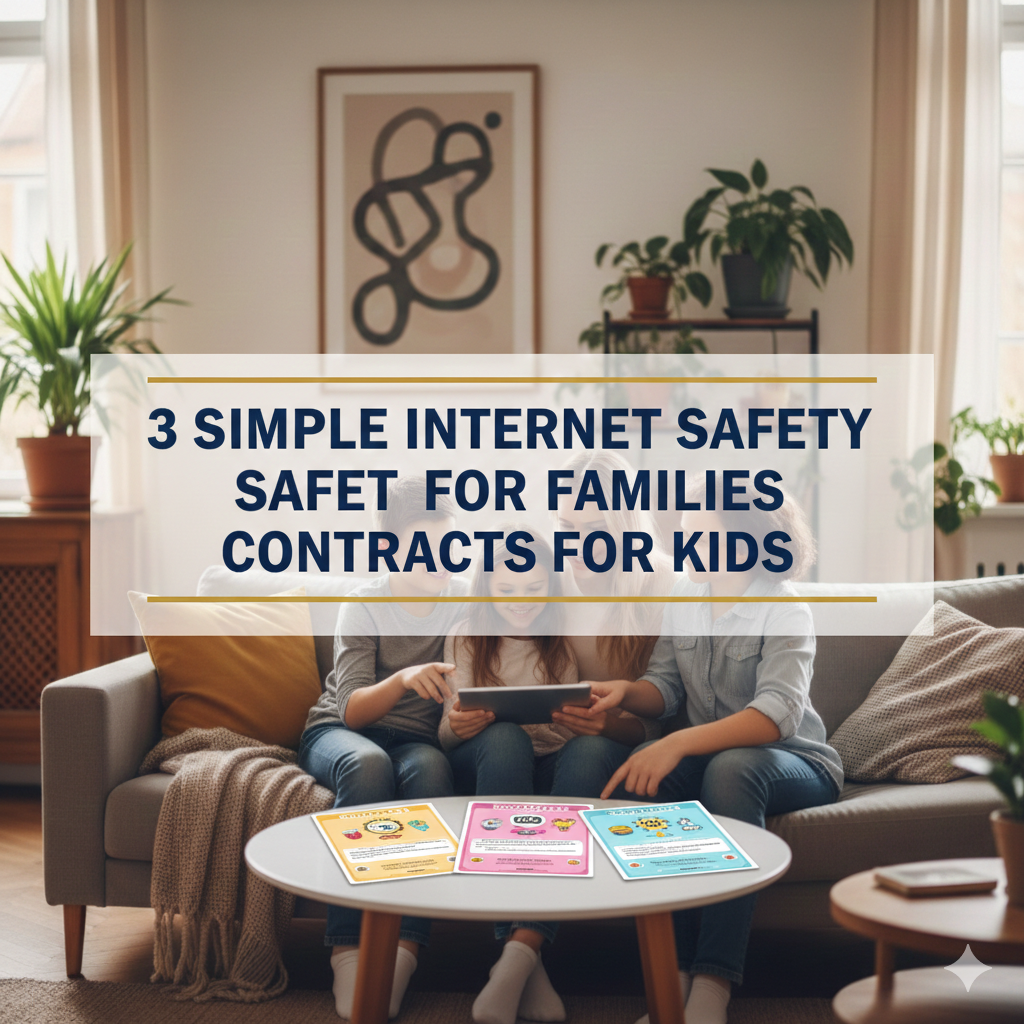
This article features three simple, downloadable internet safety contracts for different age levels. Every contract tackles the most urgent and common online safety issues while being realistic enough for real families to start using them today.
Contract #1: The Elementary Explorer Pact (Ages 5-10)
Young children require rules that are clear and to the point that they can remember and follow. The Elementary Explorer Agreement is a list of fundamental rules, designed to keep children safe during their initial experiences with the internet.
Core Rules for Young Kids
This contract should address the five big things that are most important for young elementary-age kids.
Device Location Rules: Internet-connected devices are used in open family areas. No tablets, no phones, no computers in bedrooms. This one rule automatically solves so many problems before they begin. When children are using their devices in the living room or kitchen, parents can intervene more naturally with screen time instead of hovering and causing friction.
Approval of a Trusted Adult: Required before a child can download an app, game or program. They also need permission if they want to set up an account on a website or game. The rule enables parents to filter the content that enters their homes, and stops kids from inadvertently sending out private data.
Identity Protection: Your child now knows that identifying information, such as full name, address, phone number, school name and photos remain personal. Make up a simple rhyme or phrase that they can rely on to help remember: “Names and places remain in private spaces.”
Time Constraints That Help: Prescribe definite hours of the day when children can use the internet. For instance, 30 minutes a day on weekdays after finishing homework and 1 hour on the weekend days. Employ a visible timer so that kids know when their turn is up. This trains self-regulation and stops the ‘just five more minutes’ arguments.
The “Something Feels Wrong” Rule: Encourage kids to talk to an adult if they find something online that makes them feel uncomfortable, scared, or confused. And stress that they will not be in trouble for reporting something, even if they had to break a rule to find it.
Making It Stick With Young Kids
Small children learn best with pictures. Develop a poster that has images associated with every rule. Suspend it somewhere by the computer or tablet charging station. Some families use a “green light, red light” system: green for safe choices and red for things requiring adult help.
Create some incentives for following the agreement. After a week of 100 percent compliance, kids get a special privilege (picking the family movie, staying up an extra 15 minutes on Friday night). Positive reinforcement is more effective than punishment at this age.
Sample Contract Language
“I, [child’s name], agree to use these rules when I am on the internet:
- I only use devices where my parents can see me
- I will check before I download anything new
- I don’t post my personal information online
- I will listen to my screen time restrictions without a fight
- I will immediately tell a grown-up if something online makes me feel uncomfortable
I get that these guidelines keep me safe. If I don’t follow them, I will lose internet access for [time period].”
This is signed by both parent and child and pinned up somewhere visible.

Contract #2: The Middle School Navigator Pact (Ages 11-13)
Middle school students need more freedom than elementary schoolers, but they do still need clear boundaries. This generation is confronted with new challenges such as social media pressure and becoming victims of cyberbullying or seeing inappropriate content.
Addressing Age-Appropriate Concerns
The Middle School Navigator Pact adds complexity while maintaining its focus on fundamental safety.
Social Media Guidelines: Most social media platforms have a minimum age of 13, but that does not stop younger users from signing up. If you permit social media, set clear parameters. Accounts need to stay visible to parents who should follow as friends or followers. Children should never accept friend requests from people they don’t know, even if they say they have a bunch of friends in common.
Institute a “no posting without review” rule for the first six months at least. Kids have to show their parents any photo, comment or post before they share it publicly. This helps to encourage them to be mindful of their online footprint, but without completely taking away their freedom.
The Screenshot Reality: Explain that anything posted online can end up preserved and spread virally through screenshots. Even deleted posts can resurface. Would you not want your grandmother, teacher or future employer to see it? Well then, you better not put it out there!
Visibility of Passwords: Parents should have access to all passwords and usernames for any accounts. Change passwords at least every three months and never let friends use your username or password. The rule is vexing for many tweens, who crave their privacy, but it’s not negotiable for safety.
Cyberbullying Procedure: Have outlined steps for dealing with online bullying where your child is targeted or witnessing it. The protocol: save evidence (screenshots), tell a parent at once, block the person and report on the platform. Never engage or react because that usually only makes things worse.
Gaming Communication Norms: Tons of middle schoolers game online for hours with their friends. Establish rules about whom they can chat with (only friends they know in real life), what information to keep private (don’t share where they live or what school they attend) and when gaming should end.
The Weekly Check-In System
Set a 15-minute meeting each week to check in on online activity together. This does not have to be an interrogation! Opt instead for open-ended inquiries like, “What was the most interesting thing you saw online this week?” or “Was there something that you found confusing or uncomfortable?”
These check-ins help foster trust and give parents insight into their child’s digital life. They also build in regular opportunities for children to ask questions without embarrassment.
Sample Contract Language
“I, [child’s name], promise to be a digital citizen:
- My parents will have all of my passwords and access to check on my accounts whenever they want
- I will show my parents any post before I share it publicly
- I will only communicate with people online that I already know in person
- I will report any cyberbullying immediately and not take part
- I know that my behavior online is a reflection on my family and my future
- I agree to weekly check-ins to talk about what I’ve been doing online
- I will follow time limits and take devices away at least one hour before bedtime
If I violate any of these rules, I acknowledge that consequences may include: loss of device privileges, account deletion, or internet access restrictions.”
Contract #3: The High School Digital Citizen Charter (Ages 14-18)
Teenagers require preparation for the adult digital world in which they are about to take up residence. The High School Digital Citizen Charter covers being responsible, maintaining reputation, and thinking critically about what is on the web.
Building Toward Digital Independence
Teenagers should earn increasing levels of independence as they show themselves to be responsible. This is a contract that emphasizes teaching, not merely limiting.
Managing Your Reputation: Teens need to “Google” themselves regularly, to check out what is being said about them online. Discuss how college admissions offices and employers frequently review social media ahead of a decision. Help them build a good digital footprint, instead of merely steering clear of the negative stuff.
Content Critical Thinking: Work with teens to determine the authenticity of what they encounter online. It’s not a trustworthy source, regardless of how authentic it appears or how many thousands of shares it has. Teach them about fact-checking sites and walk them through the way misleading headlines, photoshopped images, and biased sources work.
The Economics of “Free” Services: Describe how social media companies, apps and websites profit from making use of users’ data. If it’s free, the user is the product being sold — their attention and their data. This knowledge empowers teens to make decisions about which platforms they use and what they share on them.
Digital Wellness and Mental Health: High school students should know what happens to sleep, anxiety and overall well-being when they spend too much time with screens. Create phone-free zones and times: no devices at the dinner table, in bedrooms overnight or during family activities. Studies show that teenagers with no access to a phone in their bedroom report sleeping better and lower anxiety levels.
Sexting and Legal Consequences: Have serious discussions about the legal implications of sharing explicit images, even between people in a relationship. In most states, teenagers can be charged with child pornography for sending or possessing such images — even if they are of themselves. Make it clear that you’re not trying to shame them, but to protect their legal future.
Online Financial Security: Teenagers also need to know about the scams, phishing attempts and suspicious links. Talk about the risks of sharing financial details online, and how best to create a strong, unique password for each account. If it makes sense, teach them about password managers.
The Gradual Independence Model
Develop a program where teenagers are able to earn more and more privacy and privilege as they continue to make good choices. For example:
- Month 1-3: Parents check in weekly and have full access
- Month 4-6: Biweekly check-ins if all is well
- Month 7-9: Monthly check-ins with random spot checks
- Month 10+: Spot checks only, heading towards adult-level trust
This model demonstrates to teenagers the earned nature of privacy through responsibility and rejects automatic entitlement through age.
Sample Contract Language
“I, [teen’s name], know that digital citizenship is teaching me to become an adult:
- I will maintain a positive online presence that reflects my values and goals
- I’m going to use my critical thinking when it comes to online information
- I acknowledge that my parents are allowed to monitor my web activity
- I am going to practice digital wellness, restricting how much time I spend in front of a screen and making sure I take breaks
- I know the legal implications of sharing inappropriate content
- If I have major concerns about online safety, I will communicate them to my parents
- I will use the web to learn and be supportive
- I won’t send explicit images or engage in online harassment
- I will safeguard my personal and financial information while online
- I recognize that with greater freedom comes greater responsibility
I understand that breaking this agreement will result in restricted access, and I realize that my parents’ first priority is for me to be safe as I prepare for digital independence.”
How to Get These Contracts Right
The easy part is drafting a contract. Here is how to make it work with consistency, communication, and flexibility.
The Family Meeting Approach
Have a specialized family meeting to present the internet safety contract. That shouldn’t happen at dinner or when one person is trying to leave for practice. Allocate 30-45 minutes when everyone can tune in.
Begin with a why-internet-safety-matters kind of statement. Provide age-appropriate examples of what can happen when things go wrong online without being scary or preachy. The point is awareness, not fear.
Introduce the contract as a family agreement, not a punishment. Seek feedback from your kids on particular rules or time frames. When kids have a say in making rules, they are more likely to comply with them.
Print multiple copies of the finished contract. Everyone signs it. Display a copy where everyone will be able to see it, and keep a second copy in a secure location.
Handling Resistance and Pushback
Expect your children to resist, especially if they’re used to wide-open internet access. There are common complaints: “None of my friends have these rules!” or “You don’t trust me!”
Respond calmly and consistently. Tell them these rules are in place because you love them and want to protect them. Trust is formed through proven accountability over a period of time.
If a child does not want to sign, tell them they have the privilege of internet access and all privileges come with certain responsibilities. No signature means no personal device until they’re ready to follow family safety standards.
Enforcing Consequences Fairly
When kids make mistakes (and they will), carry out agreed-upon consequences. Consistency matters more than severity. If the punishment is no device for 2 days, stick with the rules and enforce exactly 2 days. Don’t lengthen it because you are angry or shorten it because they apologized.
Record infractions in a family journal. This eliminates wrangling over “he said, she said” and allows you to identify patterns that may need adjusting in the contract.
Adjusting as Children Grow
Review your internet safety contract every six months. Kids’ needs shift quickly and there is no shortage of new apps or platforms in the world for them.
Talk about what’s working and what is not during reviews. Perhaps time limits require adjusting, or perhaps your middle schooler has shown that they deserve a little more independence. Flexibility shows your children that these are living documents, meant to help them rather than control them.
Common Challenges and Practical Solutions
You may face challenges when putting internet safety contracts to work even if you’ve got the best plan in the world. Below are answers to the most frequently asked questions about family-related issues.
Challenge: Device Checks Feel Like Invading Privacy
Solution: Position monitoring as safety, not surveillance. This is a good metaphor: When your child goes over to another kid’s house, you ask who’ll be there and what they’ll do. The same is true with online monitoring. You are not reading their diary; you’re making sure they are in safe spaces.
Challenge: Kids Use Devices at Friends’ Houses
Solution: Your rules extend outside of your home. Share your family’s internet safety rules with other parents. Before you let your child go to a friend’s house, inquire about internet oversight. And it’s fine to be the “strict” parent, if being so maintains the safety of your child.
Challenge: Technology Outpaces Parental Knowledge
Solution: Learn together. Review an app together when your child expresses a desire to use it. Check reviews, age ratings and privacy settings together. Approaching it this way will help you develop critical evaluation skills and keep you updated.
Challenge: Consequences Don’t Seem Effective
Solution: If classic consequences are not effective, use “fix-it” consequences. If your child posts something inappropriate, the consequence might be that they have to create an educational presentation on digital footprints for the family. If they went over their time limits, they could research and report on what effects screen time has on the teenage brain.
The Technology Toolkit Every Parent Needs
Contracts function more effectively when backed by tech tools that help reinforce rules automatically.
Parental Control Software
Some internet service providers provide free parental controls that filter out inappropriate sites and set time limits. Popular options include:
- Circle Home Plus: Manages all devices connected to your home network
- Bark: Monitors texts, email and social media for troubling content
- Qustodio: Tracks screen time and blocks inappropriate sites
- Screen Time: Included in Apple devices for use with iOS
These tools supplement contracts, with automatic enforcement and alerts when children run into trouble online. For more comprehensive guidance on protecting your family online, visit Internet Safety Guide Online for additional resources and tools.
Setting Up Device-Level Controls
Most iPhones and Android phones come with parental control settings — you don’t often hear about them, because not that many people use them. It should take you about 20 minutes to configure these settings:
- Require authorization for any purchase and download
- Set age-appropriate content ratings
- Limit app categories (social media, games etc.) by the hour per day
- Set aside “downtime” when only essential apps run
The Low-Tech Solution
Don’t underestimate simple, non-digital solutions. A bedroom charging station where everything “sleeps” at night is free and keeps all late-night internet use in check. A kitchen timer helps small children monitor screen time without the need for their parents’ constant reminders.
Teaching Digital Citizenship Beyond the Contract
Internet safety contracts create a framework, but the real online safety comes from teaching children how to make wise choices on their own.
Building Critical Thinking Skills
Frequently talk about what’s happening online in terms of safety. Take a teachable moment from every story you hear that involves a data breach, privacy concern or cyberbullying incident. Ask questions like: “How might that person have defended themselves?” or “How would you react in such a situation?”
Modeling Good Behavior
What parents do has much more impact on the child than what parents say. Your online safety contract rings hollow if you’re always checking your phone at dinner, or texting while driving. Model the healthy technology habits you want your children to adopt.
Creating Positive Online Experiences
When it comes to the internet, safety is not just about avoiding dangerous situations. Help your children find positive uses for technology. Work on coding together, make family videos or look up topics that interest them. When kids’ primary association with the internet is creativity and learning, rather than pure entertainment and social comparison, it’s easier for them to make decisions that benefit their long-term interests.

Measuring Success Over Time
How can you tell if your internet safety contract is effective? Look for these signs:
- Voluntary Compliance: Children adhere to rules with little or no prompting
- Open Communication: Children feel comfortable coming to you with questions or concerns about what they may have seen online
- Demonstrated Judgment: Kids choose wisely when presented with options without adult input
- Healthy Habits: Screen time doesn’t take away from sleep, schoolwork, or family time
- Positive Digital Footprint: What your child presents online is their best self
Success isn’t perfection. Anticipate errors and rule infractions, especially in the early months. These are opportunities to teach, not failures, if you look at them the right way.
Frequently Asked Questions
At what age should children receive their first device?
There is no single correct answer, but many experts agree that smartphones with unrestricted internet access should not be given to children until they are at least 12-13. Before that, tablets with robust parental controls in shared family spaces offer safer entry points to technology.
Should I read my child’s private messages?
It depends on age and demonstrated trustworthiness. There should be no expectation of privacy online for young children. As adolescents prove trustworthy, you can shift toward spot checks instead of reading each message. But parents need to be able to access accounts when safety concerns emerge.
My teenager says everyone else has unlimited screen time. Is this true?
Probably not. Adolescents can exaggerate what “everyone” is doing. Just because some peers have fewer constraints doesn’t mean they are healthier choices. Your family rules are based on your family values, not what other parents let their children do.
What if my child figures out how to bypass the parental controls?
First, implement immediate consequences for bypassing safety systems. Second, know that tech-savvy kids see restrictions as puzzles to solve. This means you should have protection on multiple levels: technical controls, clear contracts and — most important — an open relationship with children where they can talk comfortably about their online experiences.
How can I discuss serious threats without scaring my children?
Speak in language that is appropriate to their age and give clear and tangible instructions on actions they can take. Instead of “Predators are everywhere online,” put it this way: “Sometimes people pretend to be someone they’re not online, which is why we only connect with people who we already know in real life.” Knowledge empowers, so it’s better to talk about tough issues than sweep them under the carpet.
Should contracts include consequences for parents who break rules too?
Absolutely. If your family rule is “no phones at dinner,” that applies to adults as well. Including parent accountability in contracts teaches fairness and encourages children to buy in.
Moving Forward with Confidence
Internet safety for families doesn’t require technical know-how or endless vigilance. It demands clear expectations, consistent enforcement, and ongoing conversation. The three contracts described here offer developmentally appropriate frameworks for children at different stages.
Keep in mind, these contracts are starting points and not set-in-stone demands. Personalize them according to your family’s distinct needs, values and circumstances. What works for one household may need to be adapted for your own.
The aim is not to raise children who are terrified of the internet. The goal is raising children who use online spaces with wisdom, prudence and confidence. Children who know how to protect themselves, who critically assess what they see and who understand the opportunities — as well as risks — presented by technology.
Begin today with the contract appropriate for your child’s age. Print it, talk about it, sign together. Then do the ongoing work of teaching digital citizenship. Your commitment now will prepare your children for a lifetime of safe, responsible technology use.
The internet isn’t going anywhere. Nor are the risks it poses. But when there are clear rules, open conversation and contracts that everyone understands and respects, you can give your children the tools to navigate the digital world safely.
Your family’s road to internet safety starts with a single conversation and a signed agreement. Take that first step today.
For additional expert guidance on creating a safer online environment for your family, the Federal Trade Commission’s consumer information page provides valuable insights on kids and online safety.