ntroduction: When Your Family’s Data Is Breached
Data breaches are far more frequent than many families know. One minute you’re shopping or browsing online, and the next someone has stolen your data.
These breaches reveal passwords, credit card numbers, addresses and sometimes even your children’s personal details. The worst part? Criminals don’t waste time. They quickly pivot to hacking weakened corporations, emptying bank accounts or opening fake credit cards with stolen information.
When a breach occurs, most families are overwhelmed. Where do you start? What needs immediate attention? Which measures really protect your household from harm?
This guide helps you through 11 key security checks that every family should perform immediately after a data breach is identified. These aren’t complicated technical tasks. They are real projects that parents, teens and even grandparents can accomplish over a few hours.
The quicker you get through these checks, the more effectively and securely you have shielded your family’s money, identity and online protection.
Here’s Why Families Are at Risk After a Data Breach
Families are prime targets for robbers as they can access a home at many different points. Because hacking the data of one family member will often lead to shared accounts, family plans, and connected devices.
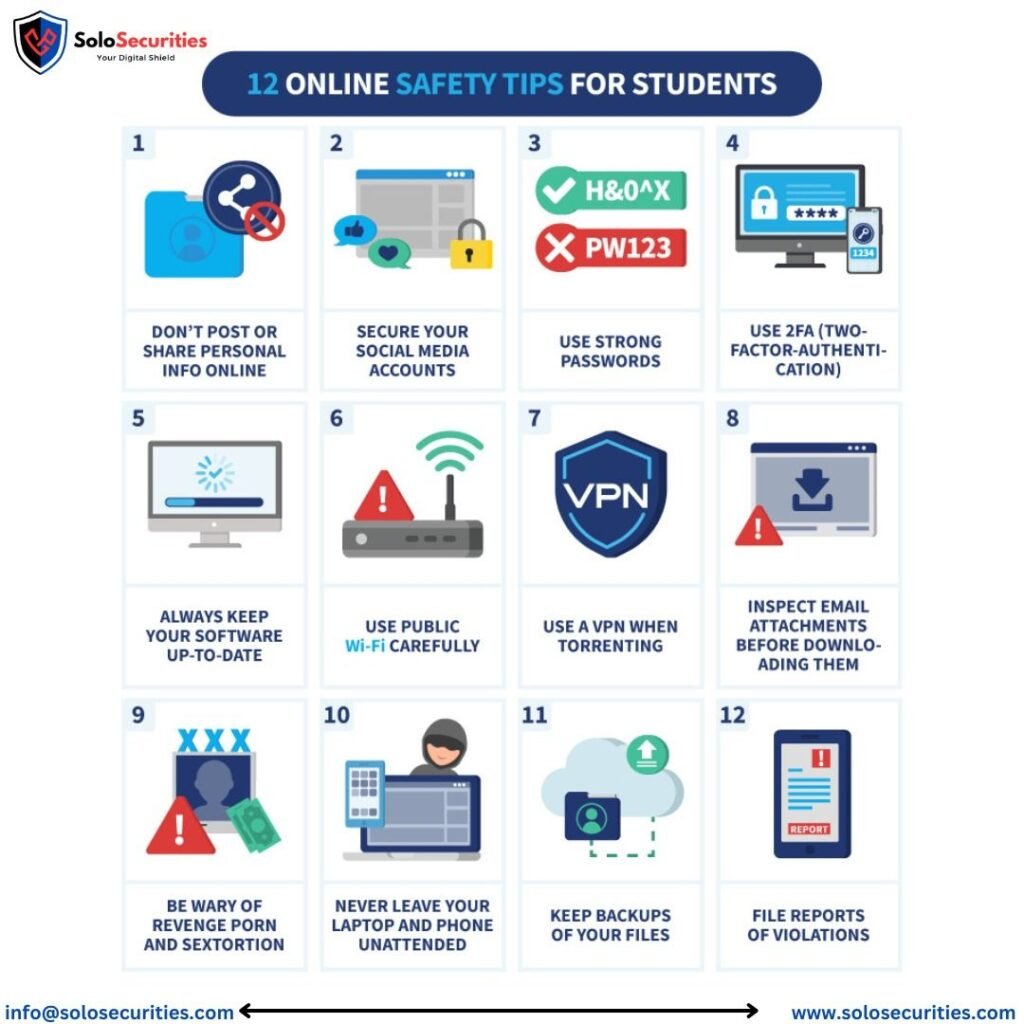
Parents repeat the same password on many websites. Kids share tablets and computers. Grandparents respond to spam emails with suspicious links. These everyday behaviors introduce weaknesses that criminals exploit after breaches.
Studies show that as many as sixty percent of families who suffer a data breach have other security breaches less than six months later. Why? Because they’re not quick to act to protect their digital lives.
The good news? Taking specific steps makes you much safer. Let’s examine each critical step.
Check #1: Close Compromised Accounts On The Spot
The 24 hours after an organization learns about a breach are the most critical. Hackers don’t wait, so you can’t afford to either.
Begin by changing the passwords on any account cited in the breach notification. Don’t let it sit until tomorrow or next week. Do it right now.
Quick action steps:
- Login to the compromised account from a safe device
- Generate a brand new password (never use the old ones)
- Ensure it is at least 12 characters long and that it contains a mix of upper- and lower-case letters, numbers and symbols
- Store the new password in a password manager
If you cannot access the account as hackers have already changed your password, contact customer support immediately. Many companies have special breach response teams on call to pitch in.
Important: Change your passwords on other sites where you used the same login information. Hackers try stolen passwords on hundreds of popular websites.
Check #2: Enable Two-Factor Authentication Everywhere
The second security layer in 2FA prevents most hack attempts. And even if criminals steal your password, they’re blocked from logging in until they also hack that second verification step.
Two-factor authentication is like having two locks on your front door rather than one. Thieves could defeat the first lock, but the second one would keep them out.
Where to enable 2FA immediately:
- Email accounts (in particular Gmail, Yahoo, Outlook)
- Banking and credit card sites
- Social media platforms
- Shopping accounts (Amazon, eBay, etc.)
- Any account with family images or personal details in it
Opt for authentication apps like Google Authenticator or Authy over text message codes. SMS messages can be intercepted by hackers but give less protection than apps.
It takes around two minutes to set up 2FA for each account. That modest spending secures your family’s digital life for years.
Check #3: Check Bank Accounts and Credit Cards Daily
Financial theft occurs fast in the wake of data breaches. Identity thieves are testing stolen card numbers within hours of obtaining them.
Create a ritual of daily checking that lasts about five minutes:
Morning check (before breakfast):
- Review bank account transactions
- Scan credit card activity
- Search for unknown charges — even small ones
Evening check (before bed):
- Verify no new transactions appeared
- Confirm account balances match expectations
- Report anything suspicious immediately
Tiny unauthorized transactions are often tests. Thieves make small purchases ($1-$5) to test if cards function before they commit larger fraud.
As soon as you identify suspicious activity, contact the fraud department at your bank. There’s no need to “make sure” of anything, don’t wait for it. Banks hate false alarms more than lagging behind in the reporting process.
Pro tip: Create transaction alerts on your phone. Banks send a notification instantly for every purchase so it’s easy to track.
Check #4: Fraud Alerts on Credit Reports
Fraud alerts alert prospective creditors to the fact that your identity may be compromised. Once creditors receive the notice, they will have to confirm your identity before opening new accounts.
This one action stops a criminal from opening credit cards, loans or store accounts in your name.
How to set up fraud alerts:
| Step | Action | Time Needed |
|---|---|---|
| 1 | Contact a major credit bureau | 5 minutes |
| 2 | Request initial fraud alert | During call |
| 3 | Alert propagates automatically to other bureaus | Automated |
| 4 | Confirmation by mail received | 3-5 days |
You only have to contact ONE bureau:
- Equifax: 1-888-766-0008
- Experian: 1-888-397-3742
- TransUnion: 1-800-680-7289
The bureau you call notifies the other two automatically. The first alert is good for one year and free.
Families with heavy breach exposure may want to consider a credit freeze instead. Freezes halt new applications for credit entirely, until you unfreeze them.
Check #5: Scrutinize Credit Reports for Red Flags
Free credit reports discover if criminals have already opened accounts using your stolen information. Federal law entitles each American to one free report from each bureau annually.
Visit AnnualCreditReport.com (the only site authorized to give them away free) and order/download all three reports. Spread them out over the next year, or remove all three now if you’ve been breached.
What to look for:
- Credit cards you didn’t open
- Loans or mortgages you didn’t request
- Addresses where you never lived
- Employers you never worked for
- Hard inquiries you didn’t authorize
If you find any suspicious entries take screenshots. Dispute any file immediately with the agency’s website.
Review credit reports for every member of the family, including children. Thieves are turning to minors, because parents generally show little interest in monitoring kids’ credit until they’re at least 18.
Check #6: Check Family Devices for Viruses and Malware
Malware taking advantage of the vulnerabilities in your devices to infect and steal data. And after you change your passwords, hidden malware could capture fresh credentials.
Scan every device your family uses for security exploits:
Devices to check:
- Desktop computers
- Laptops
- Smartphones
- Tablets
- Smart TVs
- Gaming consoles
Use reputable antivirus software like:
- Windows Defender (built into Windows)
- Malwarebytes (excellent for deep scans)
- Bitdefender
- Norton
- Kaspersky
Run full system scans, not quick checks. Full scans are slower, but they find threats that the quick scan overlooks.
Note: It’s very important that you are sure of the source for any files you download and, if applicable, that files are scanned with your antivirus program before opening them. Every day, new malware is added to the list that existing scanners don’t even notice.
Remove any detected malware immediately. If scans reveal serious infections, professional computer cleaning services may be worth it.
Check #7: Lock Down Email Accounts for Family
Email accounts are master keys to your digital life. Email is the hackers’ magic key to reset all your passwords for banking, shopping and social media sites.
Check email security configurations in all relatives’ accounts:
Security checklist:
- Enable 2FA (seriously, this is so important)
- Check recovery email addresses (delete out-of-date or unknown addresses)
- Verify the recovery phone, and update disconnected numbers
- Check the recent login places (see any unknown cities, countries)
- Review connected apps and devices (remove untrusted services)
Particularly watch out for email forwarding rules. By creating them, hackers establish secret forwarding rules that send copies of your messages to their accounts. This allows them to spy on your communications without your knowledge.
To check forwarding rules:
- Gmail: Settings > Forwarding and POP/IMAP
- Outlook: Settings > Mail > Forwarding
- Yahoo: Settings > More Settings > Mailboxes
Remove any forwarding rules you didn’t set up.
Check #8: Review and Adjust Your Social Media Privacy Settings
Social media profiles are treasure troves of personal data that cyber-thieves seek to engage in identity theft. After hacks, they’ll mine social profiles for answers to security questions and information about family members and themselves.
Tighten privacy settings on all family accounts:
Facebook:
- Set profile to “Friends Only”
- Remove birthdate from public view
- Hide friend lists
- Disable location tagging
- Review tagged photos
Instagram:
- Switch to private account
- Review follower list
- Remove location data from posts
- Disable activity status
TikTok:
- Set account to private
- Don’t allow ‘duets’ and stitches from people you don’t know
- Turn off location services
- Review comment settings
Educate children about how not sharing online can keep them safe. Children may not realize that sharing their school name, baseball team or daily schedule makes it easier for predators to connect the dots and target victims.
For comprehensive guidance on protecting your family online, visit the Internet Safety Guide for additional resources and tips.
Check #9: Check the Security of Smart Home Devices
Smart home gadgets become entry points for hackers after you’ve been breached. Security cameras, smart locks and baby monitors that have been hacked put families in serious danger.
Device security checklist:
| Device Type | Security Action | Priority Level |
|---|---|---|
| Security cameras | Change default passwords | Critical |
| Smart locks | Update firmware | Critical |
| Baby monitors | Disable remote access | Critical |
| Smart speakers | Review voice history | High |
| Smart thermostats | Verify account access | Medium |
| Smart lights | Update apps | Low |
Unchanged default credentials on smart devices are a big risk. Devices come with passwords, often “admin” or “12345,” that are the first ones hackers use and devices with default passwords can be cycled through by smart malware.
Set individual passwords for each smart product. Your password manager should track them all.
Update firmware regularly. Security patches which repair newly discovered vulnerabilities are regularly issued by manufacturers. Enable automatic updates when available.
Check #10: Teach Family About Phishing
Data breaches often result in phishing attacks. Fraudsters send bogus emails impersonating breached companies, banks or government agencies.
The recipients of these phishing messages are prompted to “verify accounts,” “confirm identities” or “update security” by clicking on a malicious link.
Signs family members should look out for:
- Urgency (“Act now or lose access!”)
- Threats (“YOUR ACCOUNT WILL BE CLOSED!”)
- Requests for passwords or personal information
- Misspelled company name or email address
- Common salutations/”Dear customer” (rather than addressing you by name)
- Shady sites (hover over links to get actual URLs)
Have a 15-minute family meeting on phishing. Demonstrate examples and practice recognizing fake messages as a group.
Golden rule: Reputable organizations will NEVER ask for passwords or personal details via email. When in doubt, contact the company directly at phone numbers found on its official website.
Check #11: Establish a Family Security Response Plan
Future breaches will happen. Organizations release news of fresh compromising data every week. A well established response strategy allows families to respond effectively and in a timely manner.
What to Include in Your Family Security Plan:
Emergency contact list:
- Bank fraud departments
- Credit card companies
- Credit bureaus
- Identity theft reporting (IdentityTheft.gov)
- Local police (for more serious identity theft)
Password management strategy:
- Selected password manager (LastPass, 1Password, Bitwarden)
- Master password recovery method
- Family shared vault for important documents
Document storage:
- Scanned copies of IDs and other records
- Breach notification emails
- Fraud report confirmations
- Credit report downloads
Regular security reviews:
- Monthly: Check credit card statements
- Quarterly: Review credit reports
- Semi-annually: Update all passwords
- Annually: Review entire security plan
Print this plan and place copies where all family members can access them. Digital copies are useful but printed backups come in handy during emergencies.
Quick Reference: 24-Hour Action Timeline
When you discover a data breach, here is your timeline:
- Hour 1: Change the passwords on breached accounts
- Hour 2: Implement two-factor authentication
- Hour 3: Call banks and credit card companies
- Hour 4: Place a fraud alert on your credit
- Hours 5-8: Scan all devices for malware
- Hours 9-12: Update email security settings
- Hours 13-16: Secure your social media accounts
- Hours 17-20: Check smart home devices for risks
- Hours 21-22: Hold family meeting to discuss phishing education
- Hours 23-24: Long-term security plan planning
Frequently Asked Questions
Just how fast must I act after a data breach?
Immediately. They typically would use stolen information within 24-48 hours. And the sooner you reclaim accounts, replace passwords and implement security features, the better you safeguard your family against fraud and identity theft.
Do I need to pay for an identity protection service?
Not necessarily. Free tools such as fraud alerts, credit report monitoring and strong passwords offer great protection. Call in a paid service only if the breach compromised especially sensitive data, like Social Security numbers, or if you don’t have time to monitor the accounts yourself.
Could my kids be hurt by a data breach?
Absolutely. Thieves are more likely to target a child’s identity now than adults, simply because the theft is frequently not discovered for years. Review credit reports of your children once a year and vigilantly keep tabs on any accounts or services in their names.
What if I’ve used the same password for a lot of different websites?
Change it everywhere immediately. Password recycling is one of the largest security vulnerabilities. Begin using a password manager to generate and save unique passwords for every account.
What period should I keep track of accounts after the breach?
Actively follow up for at least 12 months. But stolen data occasionally also shows up years later in dark web markets. Think about continuing to monitor your accounts with fraud alerts or credit monitoring services.
Am I required to tell my employer if my personal data gets hacked?
Yes, if the breach included work email or work-related accounts and had the potential to compromise company security. Your IT department can help keep work related things secure and maintain corporate network integrity.
Conclusion: Your Family’s Protection Begins Today
Data breaches can feel scary and overwhelming. Criminals who steal the personal information of your family members really do give you legitimate concern about money, privacy and safety.
But you’re not helpless.
These 11 security checks provide ways to act on that commitment to shield your home and family from the worst breach consequences. Every step helps your protection against identity theft, financial fraud and privacy invasion.
Keep in mind that security is not set-it-and-forget-it. It’s a practice that gets easier with each repetition. The family that changes passwords and watches account activity and teaches one another about threats, stays safer together.
Begin with the most important checks. Do these within the first hour: Lock down accounts and turn on two-factor authentication. Work through the rest over the next days.
Your future will be grateful you did something about it now. But it’s your loved ones who get to experience the peace of mind that comes from not having to worry about protecting themselves against criminal elements that can profit from stolen data.
Don’t allow data breaches to take over your family’s digital world. Regain control with these established security methods.
Stay vigilant. Stay informed. Stay safe.