A Guide: How to Create an Internet Safety Plan for Your Family Today
Millions of families come to the internet each day with no idea how to stay safe. It’s lazy afternoon time; kids are exploring YouTube and parents are leafing through social media, taking it for granted that everything is fine. But let me tell you, there’s one big difference between online and the real world: The digital world has real risks that require real preparation.
Think of internet safety the same way you might about teaching your child to cross the street. You certainly wouldn’t let them go out without making sure they knew how to look both ways, recognize traffic signals and remain vigilant. The same principle applies online. The internet is a wonderful place for learning, connecting, and growing, but it also brings unique challenges that all families have to navigate together.
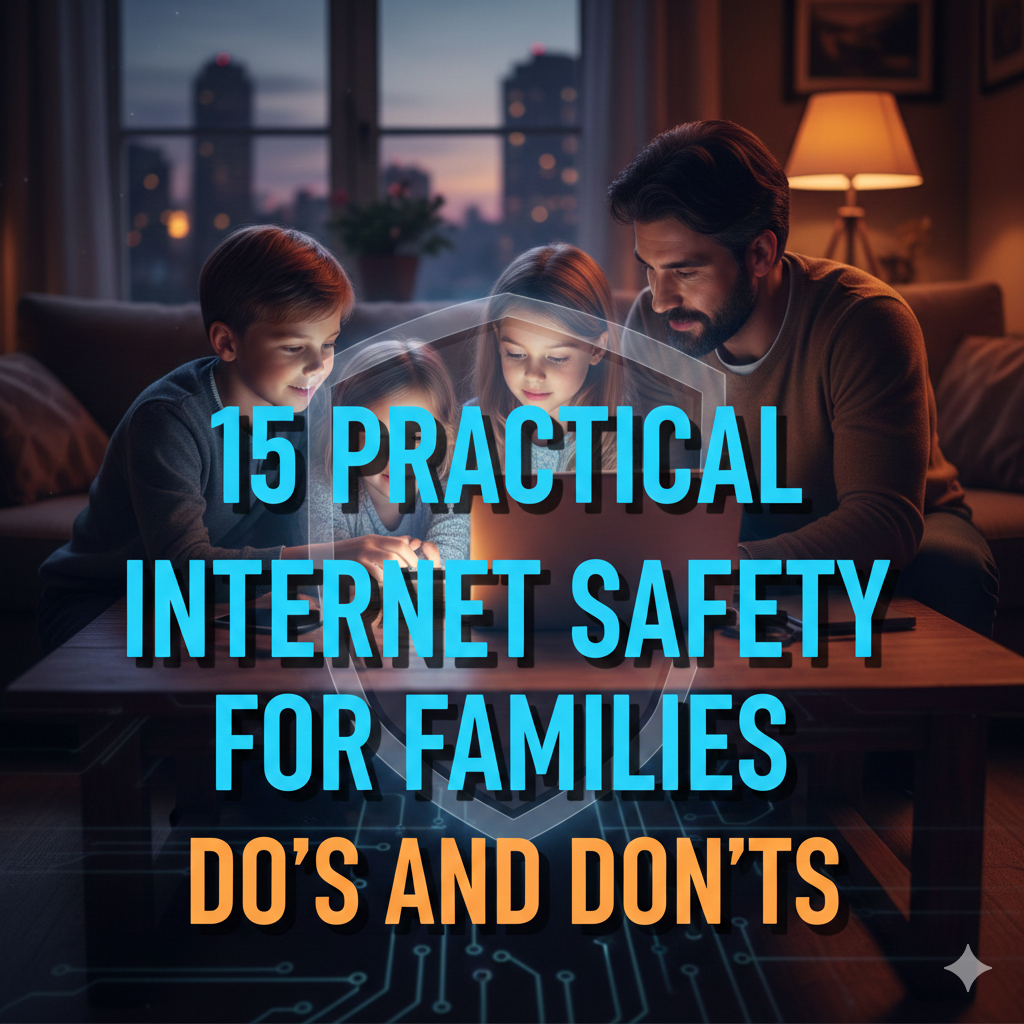
This guide offers up 15 handy do’s and don’ts that all families can stand to abide by. These are not complicated tech rules that you need to be a computer science major to understand. They are simple ways to keep your loved ones safe and healthy while still allowing everyone to enjoy the social connection.
What follows is a beginner’s guide to keeping your family safe online.
The Foundation: Things Every Family Is Obligated To Affirm and Execute
1. DO Set Clear Screen Time Limits
Creating rules about when and how long our family can use devices prevents digital overload and teaches good habits.
Share with your kids that they should develop their self-regulation, just like their bicep muscles by not relying on a device in moments of waiting or boredom. Begin by creating zones where devices are completely off-limits at home. At the dinner table, you can actually engage in conversation, not scrolling. A “no screens after 8 PM” rule to help protect sleep quality might be applicable in bedrooms. These boundaries allow everyone to unplug and recharge.
Here are some steps to create a family media plan that includes:
- Maximum daily time spent in front of the screen for each age category
- Approved times for device usage
- Consequences for breaking the rules
- Special exceptions for homework or family movie nights
The American Academy of Pediatrics advises that children aged 2 to 5 be limited to one hour a day of screen time, with consistent limits for older kids. Teenagers need more freedom, while they can also benefit from clarity of expectations.
2. DO Have Ongoing Conversations About Online Experiences
Time and time again, communication beats scrutiny. If kids know they will not feel blamed for what goes on online, they will share their problems with you rather than hide them.
Get in the habit of checking how their digital day is just as you might ask about school. “What did you watch today?” or “Who did you chat with?” leaves the door of conversation open without being an interrogation.
Share your own experiences with the online world, as well. Discuss a funny video you watched or irritating comment you read. This personalizes digital life as the shared experience of family members.
3. DO Use Parental Controls Appropriately
Parental controls are something to help you, not replace you. They are most effective when combined with open communication.
Many devices and platforms have their own built-in protections:
- Content filters preventing inappropriate websites from being accessed
- Age rating-based app restrictions
- Buying power to avoid unintentional wasting of money
- Automatic time cutoffs for devices
Establish these according to your child’s age and level of maturity. What a six-year-old plays should definitely be more controlled than what a fifteen-year-old plays. Change the settings as your children mature and show good judgment.

4. DO Teach Skepticism of Online Content
The internet is not all true, safe and kind. Teaching your family to question what they are seeing leads to lifelong digital literacy.
Assist everyone in your household to ask:
- Who wrote the content and for what purpose?
- Is there any credibility to this?
- Is it trying to mess with my feelings?
- Do I need to fact check this before I believe or share it?
Use these skills together by reviewing news articles, ads and social media posts. Identify red flags like sensational headlines, no sources listed or demands for personal information.
5. DO Model Good Digital Behavior
More is caught than taught with children. Your technology relationship becomes the family tech standard.
If we’re always on our phone during quality family time, then the kids will come to think that is normal and acceptable behavior. If you gossip or make mean comments online, they will think that behavior is O.K.
Meanwhile, here’s how to model healthy digital citizenship for them:
- No phones during meals, or conversations
- Think before posting or commenting
- Respect others’ privacy online
- Take breaks from social media
- Own up to your digital stumbles
6. DO Develop a Family Technology Contract
A written agreement makes everything crystal clear and holds everyone accountable.
This list should be for everyone to follow, not just kids. Perhaps adults decide they will get in the habit of knocking before entering a child’s room when they’re video chatting. Perhaps everyone agrees to request permission before posting photos of family members.
Include sections on:
- Acceptable websites and apps
- Privacy settings requirements
- Password policies
- Cyberbullying response plans
- Consequences for rule violations
We suggest that you review and revise this agreement every 6 months as technology and family circumstances evolve.
7. DO Place Devices in Common Areas
When computers, tablets and gaming systems are kept in shared family spaces, supervision happens organically.
That’s not to suggest standing at their shoulders all the time. It’s just that we use devices where parents can look up from time to time and see if anything is amiss. A child who is closing out a browser window ‘really quickly’ or turning their device so you can’t see the screen might be a sign there’s something to discuss.
So, too, for older teenagers who have accrued greater freedom and are seen less often. They build trust over time because they show good judgment.
8. DO Keep Up with New Platforms and Trends
The digital landscape changes constantly. New apps, new challenges and new risks materialize while others recede.
Make it a habit to:
- Ask your children which apps their friends use
- Research platforms before allowing access
- Follow reputable online safety organizations
- Participate in school sponsored digital safety workshops
- Review privacy settings as apps update
You don’t have to be a tech geek. The simple knowledge of where your kids are going online can be enough to catch any potential issues. For more comprehensive guidance on protecting your family online, visit Internet Safety Guide for additional resources and expert advice.
The Guardrails: Don’ts That Protect Families
9. DON’T Share Personal Information Publicly
Personal data in the wrong hands poses serious risks, including identity theft and physical harm.
Train every person in your family to know these data don’t go online:
- Full names, birthdates, and addresses
- School names and locations
- Phone numbers and email addresses
- Social security numbers
- Travel plans and real-time locations
- Financial information
Most families are inadvertently sharing too much on social media. If you take a picture of your child in their soccer uniform, the image could include their team name and schedule. A vacation note advertises to crooks that your house is vacant. Posts wishing oneself a happy birthday leak dates that are convenient to hackers.
Think before posting: “Who might be able to misuse this information?”
10. DON’T Trust That Privacy Settings Should Be Enough
The default privacy settings in most social media platforms are intentionally flimsy to promote sharing and interaction. In other words, don’t trust them without verifying.
Once you install any new account or application:
- Go into Privacy and Security settings as soon as you can
- Set the options as restrictive as possible
- Turn off location sharing if not needed
- Disable personalized advertising where you can
- Restrain who can view posts, photos and personal details
And remember that privacy settings can get reset when apps are updated. Monitor them on a quarterly basis to be sure nothing changed without your consent.
11. DON’T Reply to Suspicious Messages and Requests
Scammers, predators and other unsavory types are constantly trying to trick people online.
Red flags to watch for:
- Unsolicited messages from strangers, hopeful to chat in private
- Messages asking for your password, verification codes or financial information
- Hyperlinks that offer something for free, prizes or any shocking items
- Dire warnings that accounts are about to be deleted or suspended
- Anyone requesting top secrecy from parents
The golden rule: If in doubt, don’t reply. Delete any suspicious messages and block the sender. If you feel an item is legit, confirm it through official (not linked) means — and never use links in unsolicited messages.
12. DON’T Reuse the Same Passwords Everywhere
Reusing passwords is one of the most common security mistakes made by families. If one account is compromised, all accounts can be compromised.
Create a password strategy:
- Have unique passwords for all the important accounts
- Use long passwords – Try to make the password at least 12 characters
- Combine letters, numbers, and symbols
- Avoid easily guessable phrases such as “password123” or relatives’ birthdays
- Consider using a password manager to keep track of them all
For younger children who require one but need the help to remember it, write the password down and keep a written list in a safe location at home (but not in device storage).
13. DON’T Dismiss Warning Signs of Digital Troubles
There are some common warning signs that someone in your household is being cyberbullied, targeted by an online predator or spending too much time online.
Watch for:
- Sudden secrecy about online activities
- Nervous responding to messages or notifications
- Isolation from family and real-life friends
- Sleep disturbance or appetite changes
- Falling behind in classes or losing interest in activities
- Too much time spent online, particularly late at night
If you see these signs, approach not with anger but concern. “I’ve seen you look upset when you use your phone. Want to talk about it?” is better than “What are you keeping from me?”
14. DON’T Shame or Punish Children for Coming to You
Worst thing you can do is frighten your child from reporting problems.
Children who come across inappropriate content, bullying or uncomfortable situations online should know they can tell you without getting in trouble. If they fear broaching an issue will result in loss of device time, they simply won’t address a problem until it’s overwhelming.
Not “You shouldn’t have been on that website!” but “Thanks for letting me know. Let’s figure this out together.”
Reserve consequences for those who really intended to break a rule that is already in place; not as punishment on the victims or honest mistakes.

15. DON’T Forget That Online Behavior Carries Into the Real World
Each item on this list is important, but perhaps none more so than this.
Digital encounters may not seem as real as in-person ones, but they can have very real consequences.
Help your family understand:
- Cyberbullying is painful just like physical bullying
- Photos and messages may be viewable by others beyond the intended recipient
- Digital footprints trail people into college and job opportunities
- There are real legal consequences for illegal activity online
- Reputation damage can be permanent
The “would you say this to someone’s face?” test forces people to think about what online actions are appropriate.
Building Age-Appropriate Internet Safety
| Age Group | Major Risks | Recommended Safety Measures |
|---|---|---|
| 5-8 | Too much unsuitable content, accidentally buying stuff | Parents control everything/watch alongside, child-approved web browsers |
| 9-12 | Cyberbullying/stranger contact/oversharing | Check in often and use permitted apps only/check privacy settings |
| 13-15 | Social pressure (including digital reputation)/predators | Good approach with social media literacy – more mutual trust building |
| 16-18 | Sexting, online scams, time wasting | Let them live with more independence but stay connected/focus on judgment skills |
Common Internet Safety Questions Answered
How much should I monitor my child’s internet use?
A balance – the younger the children, the more you need to monitor. Young children need direct supervision. Tweens need attention checks and spot checks. Teens have the right and deserve more privacy, but parents do reserve the right to look at accounts if there are concerns.
Balance trust with verification. As one expert describes it, the phrase “trust but verify” builds accountability without killing your parent-youth relationship.
At what age is it safe to get my children smartphones?
There’s no universal right age. The work-around comes down to whether your child is responsible enough, really needs a device and whether you are strict enough to set and enforce rules.
Some families wait until middle school, when kids are getting older and gaining independence. Others begin with restricted devices, like watches that can call or text only the parents. And still others wait until high school.
Consider your child’s:
- Ability to follow rules consistently
- The right kind of emotional maturity to deal with the pressure that comes along social media
- Genuine need for independent communication
- Understanding of safety principles
How do I address sexting with my kids?
This uncomfortable conversation is essential. Begin by teaching that sharing intimate images, even by those who are teens in relationships, can have serious repercussions:
- Images of the document can be forwarded beyond the addressee
- Many jurisdictions criminalize the making or sharing of child pornography
- Photographs can surface years later in college applications or job interviews
- Peer-pressure to send pictures is never okay, and the other person always has that right to simply say no
Make it clear that someone who really loves and respects them will never demand from them to send such images. Tell them they can talk to you if they are getting pressured, but that there won’t be consequences for telling you.
What to do if my child is being cyberbullied?
First, document everything. Screen-grab messages, posts and comments. That evidence might be necessary for school officials or law enforcement.
Second, block the bully across all channels and report him or her to platform administrators.
Third, notify your child’s school. Many have policies concerning cyberbullying even if it happens outside of school hours.
Finally, support your child emotionally. No matter what, remind them it’s not their fault they’re facing this bullying and that you’ve got their back.
Do parental control apps monitor my kids?
Parental control apps are a technological tool, which can be used wisely or poorly. When they’re handled transparently — kids know the app exists and understand why — such tools are safety measures, not spyware.
The key is communication. Tell them that the controls are there to protect them, not because you don’t trust them. Lift restrictions little by little as they prove to be making good decisions.
Get caught snooping on older teens, and it generally backfires, eroding their trust in you and signaling that deception is okay.
What can you do to protect your family from identity theft?
Identity theft prevention requires vigilance:
- Social security numbers should never be shared online
- Avoid using weak passwords and enable two-factor authentication
- Check credit reports annually (for free at AnnualCreditReport.com)
- Shred documents with personal information
- Be careful what you post on social media
- Teach children that legitimate companies never request your password in an email
- Regularly check your bank and credit card statements for charges you don’t recognize
Think about freezing the credit of your children if you aren’t anticipating any big purchases for which a credit check will be required.
How to Establish an Internet Safety Culture in Your Family
The truth is, though, internet safety isn’t just one conversation and then a bunch of rules you make up and enforce until some new rule comes along. It’s a continual culture you create together.
Tonight, for a start, have a family meeting. Talk about which of these 15 do’s and don’ts fit the bill in your household. Let everyone contribute ideas. When family members have a sense of ownership over the rules, they are more likely to abide by them.
Remember that mistakes will happen. The link to an iffy site will accidentally get clicked. A child may say something they weren’t supposed to. View these as learning experiences, not disasters.
The aim is not to sow paranoia about the internet. It’s to create intimacy, establish good habits and keep communication flowing. The online universe has much to offer when we use it wisely.
Your family members can enjoy all the offerings of the internet in a safe environment. It just takes intention, attention and teamwork.
Taking Action Today
You don’t have to bite off all 15 practices all at once. Begin with three that feel most pressing for your family.
Maybe that means setting parental controls on your eight-year-old’s tablet. Maybe it means talking to your teenager about their social media experiences. Maybe it’s drafting up that family technology agreement you’ve been meaning to do.
Small steps create big changes. Every conversation, boundary and preventative action creates the basis for digital wellness to instruct your family throughout the years.
The internet isn’t going anywhere. But once you have this list of practical do’s and don’ts in place, you can feel like your family is better equipped to navigate it safely, wisely and all together.