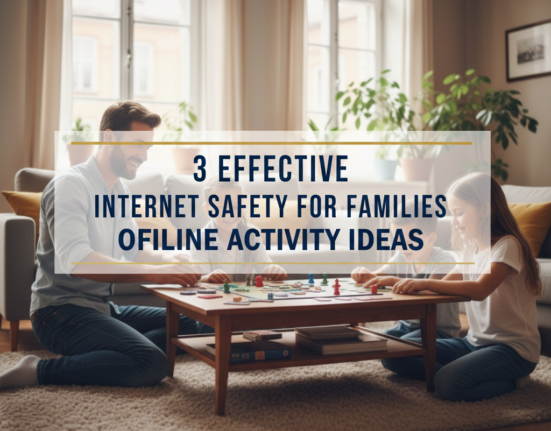
Why Do Your Family Need Both Internet Safety and Digital Detox?
The internet has revolutionized the way families communicate, learn and play. Kids are now growing up with tablets in their hands before they can even read. Parents check emails during dinner. Young people scroll through social media until midnight.
Such constant connection has real hazards. Whether it is cyberbullying, predators on the internet, inappropriate content or data theft – families are at risk 24×7. But people are overlooking another problem with too much screen time: It’s detrimental to your mental health, sleep patterns, and family relationships.
Your family requires a two-part answer. For one, strong internet safety habits protect everyone from online dangers. Second, taking regular digital detox breaks will help restore balance and connection. This post synthesizes those two approaches into ten practical things you can do right now.
Together, let’s make your family’s digital life a safer, healthier one.
The Real Numbers about How Much Families Are Using the Internet at Home
Before we get into solutions, let’s first take a look at the problem. Recent studies show families spend more time online than ever before:
| Age Group | Average Daily Screen Time | Top Activities |
|---|---|---|
| Children (8-12) | 5–6 hours | Gaming, YouTube, Social Media |
| Teens (13-18) | 7–9 hours | Social Media, Streaming Services, Messaging |
| Parents | 11+ hours | Work, Social Media/Gaming/Video Entertainment |
This does not include use of a computer at school or for work. They’re for entertainment screen time only.
The consequences are serious. The rate of depression among teenagers has increased by 60 percent in the last decade. Sleep issues impact nearly 50% of children. Family dinners when phones are in the room become disconnected and contentious.
But here’s the good news: Small adjustments make a big difference. The following ten are all ways to keep your family safe yet are screen-time-reduced, for our busy lives.
Idea #1: Make Tech-Free Zones in the Home
Physical barriers are more effective than willpower alone. Identify places with no device coverage, none at all.
Start with these three zones:
The dining room goes screen-free first. Place a basket at the door ferrying phones away before meals. It’s this simple rule that changes dinner into actual conversation time. You will see a difference in days.
Bedrooms come next. Screens in the bedrooms wreck sleep quality for kids and adults both. The blue light fools brains into believing they should stay awake. The desire to check in can keep you from deeply resting. Place all of your devices on a centralized charging station away from bedrooms at least one hour before bedtime.
Your third tech-free zone is, of course, the bathroom. Everybody takes a phone to the bathroom with them now. Aside from this being a great way to spread germs, it’s a time waster. It normalizes checking the device all the time. Make bathrooms phone-free spaces.
Why this protects your family:
Technology-free zones minimize exposure to online dangers by dictating when and where family members use it. Kids don’t accidentally land on untoward content over dinner. Even if the messaging goes through, teens won’t get cyberbullying messages at 2 a.m. Parents cannot accidentally click on phishing links amid their distractions.
These limits also allow for natural detox interventions: periods of detox. Your family takes multiple screen breaks every day without considering it.
Idea #2: Block Out Regular Device-Free Family Time
Passive rules are useful but active options are better. Schedule a weekly device-free activity that everyone partakes in.
Pick activities that truly excite your family. Hiking, board game nights, cooking together, museum visits, sports playing and art project doing all go over well. The particular activity is less important than regular attendance and no devices.
Make it non-negotiable. This becomes a weekly event that is as important as school or work. No one checks phones. No one brings tablets. No exceptions.
Implementation tips:
Choose the same day and time every week. Consistency builds habits. Sundays, Sunday afternoons or Friday nights are good for many families.
Rotate who chooses the activity. When kids have a say in what’s new, they’re more engaged and excited to participate.
Use a real camera, not phones. You can share those memories later, and avoid tempting people to look at their social media during the activity.
The safety connection:
If you are offline, you are safe from the cyber threats. But, more fundamentally, it brings families closer together. Children who are attached to their families make better online choices. They’re also more likely to report on worrisome interactions with friends and strangers to parents.
Your best defense against Internet dangers is a strong relationship with your family.

Idea #3: Get Parental Control Software Up and Running the Right Way
Technology can save your family from technology. Parental controls range from filtering dangerous content to monitoring online activity and limiting screen time.
Essential features to look for:
Content filtering blocks out inappropriate web pages, videos, and images automatically. Decent software also updates filters continually as new threats emerge.
Time management allows you to schedule screen time limits for each child. At least one device entry locks when time is up.
Activity monitoring reveals what sites kids visit as well as what apps they use. Some software applications will even monitor social media messages and flag potential conversations of concern.
You can use location tracking to determine where family members are based on GPS.
Top-rated options include:
- Qustodio: Complete monitoring on all devices
- Bark: Concerned with identifying unsafe conversations and mental health concerns
- Net Nanny: Superior content filtering and reliable protection alerts
- Google Family Link: This is the free version and is pretty basic for Android phones with some basic controls
Using controls without destroying trust:
Be completely transparent. Let your children know you’re putting monitoring software on their devices. Tell them you are keeping them safe, not punishing them.
Match controls to maturity levels. Looser restrictions are needed for teenagers, rather than young children. Tune the settings as children show responsible use.
Review reports together weekly. Turn monitoring into a teaching opportunity, not a “gotcha” moment. Explain why some sites are blocked; why there’s a time limit.
Respect privacy appropriately. Older kids should be entitled to more privacy than eight-year-olds. As kids get closer to adult age and prove themselves trustworthy, think about taking some of the controls off.
For more comprehensive guidance on protecting your family online, visit the Internet Safety Guide for additional resources and tips.
Idea #4: Teach the Real Essential Digital Literacy Skills
Software and rules can assist, but teaching is the lasting protection. Children have to learn about the pitfalls of the internet and exercise good judgment.
Basic skills for all family members:
Recognizing phishing attempts prevents identity theft and personal financial loss. Have everybody be wary of clicking on links in suspicious emails, check sender email addresses and validate requests through out-of-band communications.
Understanding privacy settings keeps personal information private. Go through the privacy settings on any social media platform that your child and the rest of your family use. Make accounts private by default. Control who sees posts, photos and location information.
Identifying fake news and misinformation prevents manipulation. Instruct children to verify sources, seek out author credentials, compare information from multiple sources and think critically about sensational headlines.
Managing digital footprints will preserve your opportunities for the future. Everything posted online lasts forever. And colleges and employers search social media before agreeing to accept applications. A single out-of-line photo or cruel comment may lead to drastic consequences.
Making education engaging:
Play games of “spot the scam” with actual phishing emails. Make it a game — try to pick out red flags before time’s up.
Family passwords can be implemented properly – long passphrases rather than short complex passwords! “CorrectHorseBatteryStaple” beats “P@ssw0rd!” every time.
Role-play uncomfortable online scenarios. Practice how to respond when a stranger requests friendship, asks questions about you or seeks personal information.
According to the Federal Trade Commission, teaching children to recognize scams and protect their personal information is one of the most effective ways to prevent identity theft and online fraud.
Idea #5: Use the “One Screen at a Time” Rule
Multi-screening has become normal behavior. People watch TV and skim phones. Children do homework with YouTube in the background. Parents respond to work emails on video calls.
Both of these habits crush productivity and attention span. It also increases risk exposure. You are also more likely to click dangerous links or miss warning signs when you are distracted by multiple screens.
The solution is simple:
One screen, one task at a time.
Watching a movie? Put phones away completely.
Doing homework? Shut down all entertainment websites and apps.
Working on a computer? Turn off the TV.
Benefits multiply quickly:
More tasks also get done in less time with full attention. Quality improves dramatically. Family members are actually finishing shows and movies without asking “wait, what happened?” every ten minutes.
And more importantly, focused screen time naturally decreases total screen time. When you can’t do 10 things at once, you get more done in less time. You also savor content more, which makes your brain happy and not constantly seeking new stimuli.
From a security perspective, focusing helps people catch phishing attempts, inappropriate content and troubling messages that they might miss when they are not paying attention.
Idea #6: Create a Family Digital Contract
Verbal rules are forgotten or challenged. Written contracts establish accountability for all, even for parents.
What to put in your contract:
Weekday and weekend screen time restrictions by device type and content.
Device cut-offs at bedtime for each member of the family.
Pre-defined consequences for breaking the rules.
Privacy expectations and monitoring policies.
Anti-cyberbullying action plans—for both victims and bystanders.
What kids should do if they see something scary online.
Parent duties, because adults need rules too.
Sample contract clause:
“All members of the family will remove phones from bedrooms by 9 p.m. and charge outside of their bedrooms until 7 a.m. Parents will also have to follow this rule in order to set a good example. Smartphones are charged in the kitchen charging station overnight. Disobeying this rule amounts to a loss of equipment for 24 hours.”
Making contracts effective:
Have a family meeting where you draft the agreement together. Allow kids to propose ideas, and negotiate terms. You obey rules that you help make.
Print and sign the contract. Stick it on the fridge where you can see it.
Revise and amend the contract every six months. Growing kids need adjusted rules.
Enforce consequences consistently. Empty threats destroy credibility fast.
Idea #7: Take Regular Social Media Breaks
It is among social media platforms that most of today’s internet overuse and mental health issues originate. It is designed to be addictive and not accidentally but through very deliberately thought-out psychological triggers.
Frequent breaks serve to reset this dynamic.
Different break options:
For beginners, a weekend detox may work well. Remove social media apps from phones Friday night. Reinstall them Monday morning.
App-specific breaks target problem platforms. If Instagram is the most anxiety- and time-provoking platform, delete only that app for a month.
Full social media fasts are the ultimate challenge as they require the entire family to go cold turkey for one to four weeks.
What families report after breaks:
Quality of sleep has been improved in three days. You fall asleep more quickly when you’re not endlessly scrolling.
Mood normalizes after roughly a week. The anxiety and comparing that social media stokes starts to recede.
Relationships deepen after two weeks. Families are talking more and fighting less without social media drama.
Productivity soars. Most people gain back 2-3 hours of their day from deleting social media.
Safety benefits:
When users take social media breaks, they are not exposed to cyberbullying, inappropriate content or online predators during that time.
They also provide perspective. For many people, once they take a break from social media, they really miss it less than expected. This makes it relatively easier to stick with healthier long-term habits.
Idea #8: Create a New Evening Routine
The period between dinner and when we haul our bodies to bed marks peak screen time for nearly every family. The work and school day is over for pretty much everyone, and we’re all tired and looking for some easy entertainment.
This is both dangerous and unhealthy. Evening screen time is particularly bad for sleep because blue light suppresses melatonin production.
Trade screen time for higher-quality activities:
Shared reading fosters literacy as well as bonding. Younger children love to be read to. Older children and adults can swap their book recommendations, and catch one another up on what they’re reading.
Taking a short walk outside also offers exercise and some fresh air. The gentle movement helps bodies prepare for sleep in a natural way.
Hobbies or crafts are engaging activities that occupy the hands and mind. Knitting, drawing, putting together models, playing instruments or solving puzzles all fulfill the brain’s urge for screen-free activity.
Conversation and connection time allows families to talk with each other about their days in meaningful ways. Ask open-ended questions. Practice active listening without devices.
Start small:
Start by replacing just 30 minutes of evening screen time. The hour before bed is the ideal.
When you have the routine down, increase the screen-free time little by little.
Make alternatives appealing, not punishments. Stock up on engaging books, art supplies, board games or other non-screen options.
Idea #9: Use “Device Parking” During Family Time
Device parking provides focused family time without being a total screen shutdown all day.
How it works:
Create a dedicated “device parking spot,” whether it’s a basket, drawer or box.
At designated family moments—meals, game nights, major conversations—everyone can park their devices there.
Pre-program the parking time. “We’re parking devices for the next hour at dinner and game time.”
Everyone remains parked, facedown and silenced, until the previously agreed-upon time has lapsed.
Why this is more effective than telling people “put your phone away”:
Physical separation removes temptation completely. You can’t just glance at “just one notification” if your phone is across the room.
And by doing it as a family, we skip the “Why do I have to but you don’t” arguments.
When people set the boundaries around time they can do it and the sacrifice feels doable. An hour feels doable. “Forever” feels impossible.
Safety advantages:
Device parking establishes consistent times when children are offline and under parental supervision.
These regular check-ins also help parents remain in the know about their children’s online worlds and moods.
The practice also exemplifies healthy boundary-setting with technology that kids will take into their adult lives.
Idea #10: Schedule Quarterly Digital Detox Weekends
You work with daily and weekly habits, but these longer resets offer a deeper reset to the system.
How to plan a digital detox weekend:
Set aside a long weekend or three days every three months.
Let your friends, family and essential work contacts know beforehand that you won’t be accessible except in the case of true emergencies.
Unplug and physically store any entertainment devices on Friday night. That includes phones, tablets, computers, game systems and smart TVs.
Use a phone for emergencies that are bona fide, but keep it hidden.
Map out weekend activities that keep you off the internet.
Weekend activity ideas:
Camping inherently isolates families from technology.
“Staycations” work too. Instead, be tourists in your own city for the day by seeing local attractions, dining at new restaurants and going to community events.
Home projects like cleaning, organizing, redecorating or yard work keep everyone busy.
Extended family visits are about people.
Classes or tutorials (on paper, not online) to learn something new together produce shared memories.
What happens during detox weekends:
The first few hours are awkward. Families go through withdrawal symptoms—boredom, anxiety, the phantom vibration thing when you think your phone is vibrating but it’s not.
Most people have started relaxing into the experience by Saturday afternoon.
And, by Sunday, countless families say they feel more connected and rested than they have in months.
Long-term impact:
These quarterly resets keep digital habits from getting out of hand.
They’re proof that life without 24/7 access is not only doable, but kind of fun!
They make lasting family memories that glue everyone together.
Safety-wise, they’re total digital escapism while also signaling to all that the internet is a tool, not a vital life source.

Combining Safety and Detox for Maximum Protection
The 10 ideas provided above, of course, have a life of their own; however, it’s when you put them together that powerful synergy happens.
Start with your foundation:
Create parent tech ground rules. Install parental controls and designate tech-free zones. These have immediate safety effects and are low-cost to maintain.
Add structure:
Put the family digital contract and practice of parking devices in place. These establish clear expectations and regular routines.
Build alternatives:
Establish evening rituals, weekly rituals and social media breaks. They fill the vacuum of lost screen time with healthier alternatives.
Go deeper:
Establish a routine of quarterly digital detox weekends for intensive resets and even deeper family connection.
Maintain through education:
Always teach digital literacy, so that everyone in the house develops good judgment and is not simply following rules.
Track your progress:
Make a basic chart that keeps record of every family member’s weekly screen time. Celebrate improvements together. Discuss challenges openly. Adjust strategies as needed.
Common Challenges and How to Address Them
“But I need devices for school for my kids!”
That is true, but school use does not necessarily demand free reign. Parental controls work by whitelisting educational apps and websites while blacklisting entertainment during homework time. Device parking can omit school-assigned tablets from family-collection time while including phones.
“I have to be accessible 24 hours a day for my job.”
There are very few jobs that legitimately require being “on” at all times. Talk to your employer about reasonable response times. Put up an autoresponder that says you check your email once a day. If your work really requires that you be on call 24/7, at least role model device parking during family meals and bedtimes.
“My teenagers are never going to go along with these rules.”
Probably not at first. But stand your ground while remaining flexible on specifics. Allow teens to negotiate time limits and gain extra privileges through responsible behavior. Tell them it’s about protecting, not controlling. If you enforce some rules and concede others, acknowledge that the ones that feel unfair are just enacted anyway—because that’s parenting.
“This seems like a hassle.”
Narrow it down to just two or three ideas. Apply them for a month and see how you do! Once they become habitual, add a new one. Durable change takes time, it doesn’t happen overnight.
Frequently Asked Questions
What does healthy screen time look like for children?
For children younger than 18 months (with one exception being video chatting), the American Academy of Pediatrics recommends no screen time; for ages 2 to 5, it advises limit setting to an hour a day and, for older kids, encouraged consistent limits. Most experts recommend no more than 2 hours a day of recreational screen time for school-age children and teens, although individual needs can vary.
Do parental controls actually help keep children safe online?
Parental controls offer major safety benefits but are not flawless. Determined kids can find workarounds. That’s another reason controls are most effective if combined with education, open communication and good relationships. Controls give you time and trap many dangers, but judgment and values give durable protection.
What if our child accidentally stumbles on something inappropriate, no matter what safety measures we put in place?
Stay calm and do not overreact, as it will discourage children from telling you about any similar experiences in the future. Thank them for telling you. Talk about what they observed and why it’s not okay or makes people uncomfortable. Use it as a teaching moment. If necessary, trim your safety precautions. Think about whether you could use treatment if the source material was traumatizing.
How do I keep rules when not at home?
Today parental control software operates from a distance. You’re able to keep an eye (and ear) on things from anywhere and can adjust the settings. More importantly yet, create the kind of trust-based relationship in which they follow rules even when you’re not around because they understand and accept the logic behind them. Occasionally spot-check compliance to make sure trust is earned.
How old is old enough to get a phone?
And this is much more a function of maturity and need than age. Roughly middle school is when most experts say to allow it. Begin with restricted access (calling and texting only) before working up to internet use. Some families manage to put off smartphones until high school. Think about your child’s level of responsibility, why you’re buying a device and whether or not you can properly monitor usage.
Do I have the right to read my teenager’s messages?
This is a question the experts—and parents—can’t agree on. A certain amount of privacy can also help teenagers develop a sense of independence and identity. Parents are still in charge of safety, though. A middle ground: Let them know that you will check in every so often (with software to alert on problematic content) but that you won’t read everything unless you have a concern. Earn trust while maintaining oversight. Respect privacy further as they prove trustworthy and near adulthood.
Your Family’s Digital Future Begins Now
It won’t happen overnight, but you can help create a safer, healthier digital life for your family. The internet isn’t going anywhere. Screen time is here to stay in modern life.
But you can take charge as of this very moment.
Choose two ideas from this article that you think would be most helpful to your family. Perhaps you crave tech-free zones, or your teenagers could use some regular social media breaks. Start there.
Apply those two strategies for at least the next month. Track what changes. Notice better sleep, a better mood and connection with family. Celebrate small wins.
Then add another strategy. Keep building gradually.
Yes, internet safety and digital detox go hand in hand. Safety precautions can shield your families from external threats, such as predators, cyberbullying and inappropriate content. By detoxing, you shield your family from internal damage such as anxiety, sleep problems and disconnection.
You need both.
The goal isn’t eliminating technology. It’s about raising kids who know how to use technology wisely, in moderation and—important now more than ever—safely. Children who know how to unplug. Children who cherish in-person relationships and digital ones, too.
That future is possible. It begins with the decisions you make today.
Both protection and presence are owed to your family. Both safety and connection. Smart internet use and quality offline time.
These ten big ideas are what empower you to make all of that happen. Now it’s time to take action.