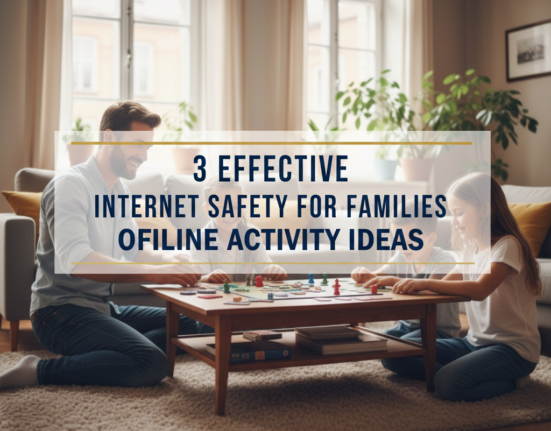
What Is the Technology Quandary that Families are Experiencing?
Your kid picks up their phone before they even say good morning. The family eats dinner with iPads planted up against the plates. And even bedtime battles involve demanding “just five more minutes” of screen time.
Sound familiar?
Technology is now woven into the fabric of family life. The internet is largely a space for learning and connection but also poses serious dangers. Children and teens are getting addicted to tech at an alarming rate.
The typical child now spends over seven hours a day looking at screens. This overuse impacts sleep, social skills, physical health and academic achievement. Parents are drowning as they attempt to control devices, police content and set boundaries.
But here is the good news: It doesn’t have to control you.
This post offers 11 simple, fast-acting remedies for ending the behaviors we want to end regarding both internet safety and tech addiction. These are not fancy tactics requiring engineering expertise. They are simple fixes that you can do today to make your digital world a healthier one for your family.
Jump into these life-changing fixes.
1. Design a Family Media Agreement for All to Sign
A family media agreement is the equivalent of a contract that everybody must honor. It establishes expectations and consequences for the use of devices.
Begin by calling a family meeting of anyone old enough to understand the topic. Discuss concerns openly. Kids can share their thoughts, too. It creates buy-in and diminishes resistance.
Your agreement should cover:
- Daily amounts of screen time for various age ranges
- Tech-free zones in the home
- Homework before entertainment policies
- Password sharing rules with parents
- Consequences for breaking agreements
- Privacy expectations and monitoring
Write it down. Have everyone sign it. Put it somewhere everyone will see it every day.
Being consistent is the name of the game. Kids recognize fairness when rules apply to everyone (yes, even parents). They’re much more likely to go through with it.
Revisit and revise the contract every three months. As kids mature, responsibilities change. The plan should grow and change as your family does.
Quick Win: Get started making your own agreement with online templates from Common Sense Media or the American Academy of Pediatrics.

2. Install Parental Control Software on Everything
When in doubt, install parental control software on all devices.
The right parental control software is like a fence. It blocks harmful content, restricts screen time and monitors online activity.
Today’s parental controls come with some really great features:
- Website blocking and content filtering
- App usage time limits
- Location tracking
- Social media monitoring
- Screen time scheduling
- Instant alerts for concerning activity
Popular options include Qustodio, Bark, Net Nanny and Norton Family. Free trials are available for most, so you can always test before committing.
Install parental controls on all devices your child uses: phones, tablets, computers and gaming systems. And don’t eliminate smart TVs and streaming devices.
Here is a rundown of features to compare:
| Software | Content Filtering | Time Limits | Social Media Monitoring | Location Tracking | Monthly Cost |
|---|---|---|---|---|---|
| Qustodio | Excellent | Yes | Limited | Yes | $54.95/year |
| Bark | Good | Yes | Excellent | No | $99/year |
| Net Nanny | Excellent | Yes | Limited | Yes | $39.99/year |
| Norton Family | Good | Yes | No | Yes | $49.99/year |
Configure age-appropriate settings. A six-year-old should be regulated differently than a 15-year-old.
Note: Parental controls are meant to complement supervision, not replace it. Your child can’t be protected by tech alone. Open communication remains essential.
3. Create Device-Free Zones in Your Home
Physical boundaries create mental boundaries. Establishing device-free areas helps disrupt addictive behaviors and fosters family connections.
The best device-free zones are:
The Dinner Table: Family meals provide invaluable bonding time that can never be replaced. Ban all devices during meals. Charge all the phones in another room and use a charging station, or at least a big bowl, to collect them while everyone eats.
Bedrooms: Screens in bedrooms disrupt sleep. Blue light inhibits the production of melatonin, which makes it harder to fall asleep. Reserve bedrooms for sleeping, reading and rest.
The Bathroom: Yes, really. There are also kids who scroll while using the toilet, and make bathroom time longer than it needs to be. It’s also unhygienic.
The Car: You couldn’t ask for better conversational conditions than the occasional short trip. Enforce a policy that makes car rides device-free (except, of course, in cases of emergencies or very long trips).
Establish a central charging station such as sleeping all devices at night. This keeps you from scrolling at midnight and is a healthy distance.
Mark these zones clearly. Use signs if needed. Make the rules non-negotiable.
Lead by example. If you want your kids to unplug during dinner, then put your phone away as well. Children mimic actions, not words.
4. Establish Screen Time Schedules With Built-In Down Time
With random screen time comes overuse. Scheduled screen time with required breaks provides structure and combats addictive potential.
For eye health, apply the 20-20-20 rule: Every 20 minutes, look away from your computer screen and focus on something 20 feet away for at least 20 seconds. This eliminates eye strain and provides good stopping points.
Structure daily schedules like this:
Weekday Schedule:
- Before school: No unmonitored screen time
- After school: 30 minutes after homework is finished
- Evening: 1 hour before dinner
- After dinner: No screens 1 hour before bed
Weekend Schedule:
- Morning: No screens until after breakfast and chores
- Afternoon: 2 hours with a fifteen-minute break every hour
- Evening: Same as weekdays
Both iOS and Android devices come with integrated screen time control features as well. Use these to automate limits:
For iPhone/iPad:
- Go to Settings > Screen Time
- Set Downtime hours
- Create App Limits by category
- Enable Communication Limits
For Android:
- Utilize Digital Wellbeing & Parental Controls
- Set app timers
- Schedule Focus Mode
- Enable bedtime mode
Parental time controls are also available on gaming consoles. Set these up for Xbox, PlayStation, and Nintendo Switch.
Build in transition warnings. Announce or set a five-minute and two-minute alert that screen time is about to end. This averts meltdowns and instills time self-awareness.
5. Enable Safe Search and Content Filters Everywhere
Safe search filters block inappropriate sites from search results. They’re no panacea, but they add an important extra layer of protection.
Turn on safe search everywhere your child searches:
Google Safe Search:
- Visit google.com/safesearch
- Toggle Safe Search on
- Lock it (requires signing in)
YouTube Restricted Mode:
- Click profile icon
- Select Restricted Mode
- Turn it on
Bing Safe Search:
- Go to Bing settings
- Select Strict under Safe Search
TikTok Safety Mode:
- Go to Privacy settings
- Enable Restricted Mode
- Set a passcode
Instagram:
- Settings > Privacy
- Enable Hide Story and Live
- Restrict who can comment and message
Establish separate streaming accounts for the kids. Netflix, Disney+, and Amazon Prime all offer kids profiles that restrict content when it’s turned on.
Filtering at the router is an additional defense in depth. Services such as OpenDNS filter content at the network level, safeguarding all devices on your home WiFi.
And remember not to overlook search engines on gaming consoles and smart TVs. It’s the sort of thing we sometimes forget yet must be protected.
Test these filters periodically. Test searching for something inappropriate to make sure they’re working. Filters need to be refreshed when fresh data comes in.
6. Institute a Weekly Digital Detox Day for the Entire Family
A digital detox day gives everyone’s brain a break from the relentless stimulation. It resets dopamine receptors and reduces reliance on devices.
Pick one day a week to keep all other non-essential tech turned off for the whole family. Sunday is convenient for a lot of families.
Plan alternative activities beforehand:
- Outdoor adventures (hiking, parks, beaches)
- Board games and puzzles
- Arts and crafts projects
- Cooking together
- Reading aloud
- Sports and physical activities
- Visiting friends and relatives
Start small if needed. Start with half-day detoxes and work your way up to full days.
Make it enjoyable, not punitive. Present it as quality family time, not sacrifice. Concentrate on what you’re getting (connection, creativity, peace) rather than what you’re giving up (screens).
Keep emergency communication available. One parent should have a phone available for real emergencies.
Track mood and behavior changes. On detox days, many families find they sleep better, feel better and talk more deeply.
Some families even go so far as “tech Sabbath” practices, unplugging from Friday evening to end of day Saturday. You have to find what works for your schedule and your values.
7. Track Social Media Without Treading on Privacy
Social media poses some specific dangers: cyberbullying, predators, inappropriate content and comparison issues. Monitoring is how we keep kids safe while still giving them the room to grow in private.
The monitoring strategy being used is age-based:
Ages 8-12: Full access to accounts
- Know all passwords
- Follow/friend them on all platforms
- Review messages and posts regularly
- Approve friend requests
Ages 13-15: Supervised independence
- Unannounced spot checks
- Apps for monitoring and calling out suspicious content
- Open-device policy (you can check at any time)
- Weekly conversations about online interactions
Ages 16+: Trust with verification
- Periodic check-ins
- Access during emergencies
- Focus on communication over surveillance
- Gradual privacy expansion
Use monitoring apps designed for this purpose. Bark, for instance, looks at messages, photos and social media to look for signs of cyberbullying, sexual content, internet predators, depression and suicidal ideation as well as threats of violence.
Have open conversations about why you monitor. Explain you’re not trying to control them, but protect them. Contrast that with knowing where they are in the physical world.
Be alert to red flags that may need further scrutiny:
- Sudden secrecy about device use
- Changes in mood following social media use
- Hiding screens when you approach
- Excessive time on specific apps
- Withdrawal from family activities
Balance monitoring with trust-building. Relax gradually as children show they are responsible.
8. Substitute Screen Time for Fun In-Person Activities
The tech addiction problem is often a problem of emptiness. Children will look to screens when they are bored, lonely or understimulated. By offering great choices, the need for a device steadily goes away.
Fill your house with non-screen pleasures:
Creative Supplies:
- Art materials (paints, markers, clay)
- Building sets (LEGO, blocks, K’NEX)
- Musical instruments
- Craft kits
Physical Activities:
- Sports equipment
- Jump ropes and hula hoops
- Bikes and scooters
- Indoor climbing equipment
Mental Challenges:
- Age-appropriate puzzles
- Strategy board games
- Brain teasers and logic games
- Science experiment kits
Reading Materials:
- Books matching their interests
- Comics and graphic novels
- Magazines
- Audiobooks for reluctant readers
Make an “I’m bored” jar with fun activities. When children start to whine, “I’m bored,” they pull a note out of the jar.
Plan some regular family activities that do not involve screens:
- Weekly game nights
- Monthly outdoor adventures
- Cooking projects
- DIY home improvement tasks
- Volunteering together
Sign up kids for activities they love: sports teams, music lessons, art classes, coding camps (yes, some tech use is good when it’s creative and educational).
The goal is not to get rid of technology altogether. It’s about balance, so screens don’t fill every idle moment.
9. Teach Critical Thinking About Online Content and Advertisements
Online safety is not only about censoring. It’s about helping kids evaluate critically what they see online.
For more comprehensive guidance on navigating digital dangers, visit Internet Safety Guide for expert resources and tips.
Help children nurture these vital skills:
Identifying Misinformation:
- Check multiple sources
- Look for publication dates
- Verify author credentials
- Distinguish facts from opinions
- Recognize clickbait headlines
Understanding Advertising:
- Identify sponsored content
- Recognize influencer marketing
- Understand data collection practices
- Question “free” services (if you’re not paying for it, you are the product)
Spotting Manipulation:
- Recognize emotional manipulation tactics
- Identify social engineering attempts
- Know what triggers FOMO (Fear of Missing Out)
- Detect artificial urgency in sales techniques
Practice together. Call out sponsored portions when you watch YouTube. Discuss how influencers make money. Examine targeted ads and how they are related to browsing history.
Draw on actual examples from their feeds. Ask questions like:
- “Why do you think you were shown this ad?”
- “What is this article attempting to get you to feel?”
- “How can we confirm it is a fact?”
Show them that not everything on the internet is what it seems to be. Discuss photo editing, filters and the curated social media self. Explain to them that people generally share a highlight reel, not reality.
Discuss online scams age-appropriately. Even young children can be educated about “stranger danger” online and not sharing personal information.
Turn critical thinking into a habit. Have brief, frequent conversations rather than long, serious talks.
10. Reinforce Good Habits Around Tech
Punishment by itself hardly ever changes behavior. Kids are inspired to make healthy habits on their own through positive reinforcement.
Institute a good digital behavior reward system:
Screen Time Banking: Kids earn screen time credit for good behavior:
- Read for 30 minutes = +15 extra minutes
- Completing chores without needing a reminder = 20 bonus minutes
- 1 hour outdoors = 30 bonus minutes
- Helping siblings = 10 minutes extra
Set weekly limits to avoid earning too much.
Privilege Escalation: Demonstrate proper use, gain privileges:
- Week of rule-following = staying up late on weekends
- Good decision month = new app acceptance
- Consistent responsibility = reduced monitoring
Non-Screen Rewards: Sometimes the best reward isn’t more screen time:
- Special outings (movies, mini-golf, arcades)
- Up past bedtime for family game night
- Choosing dinner menu
- Small toys or books
- Extra allowance
Compliment specific behaviors: “I saw you put your phone away at dinner without me having to ask. That shows great self-control.”
Track progress visually. Use charts or apps where kids watch their accomplishments add up.
Celebrate milestones. Recognize it in a significant way when they achieve a goal. This will remind them that you see and appreciate their hard work.
Avoid bribery. Rewards ought to give credit for good behavior, not purchase obedience.
Remember, intrinsic motivation matters most. Help kids see how healthy tech habits fit into their own goals: more sleep makes them stronger in sports, and less screen time improves grades, which helps them get into the college of their choice.
11. Model Healthy Technology Use Yourself
Children learn by example, not words. Your relationship with technology sets the tone for your household.
Conduct an honest self-assessment about your tech habits:
- How many hours are you on your phone every day?
- Do you check devices during family time?
- Is your phone the last thing you see at night and first thing you see in the morning?
- Do you scroll when your child is talking to you?
Make visible changes:
At Home:
- Keep your phone out of sight while you are eating
- Define a screen-free period for yourself before bed
- Read physical books in front of kids
- Pursue screen-free hobbies
While Parenting:
- Give full attention during conversations
- Hold eye contact with no devices between you
- Be present during homework help
- Play with them without having to post on social media about it
In Public:
- Limit phone use during outings
- Interact with the real world, not a feed
- Have face-to-face conversations at restaurants
- Demonstrate patience without device distractions
Voice your choices aloud: “I’m going to leave my phone in the other room so I can concentrate on game night.”
Apologize when you slip up (which you will): “I’m sorry I was looking at my email during dinner. That wasn’t respectful. I’ll put it away now.”
Share your own struggles with tech: “I realized I was spending too much time on social media, so I deleted the app from my phone.”
Your authenticity is more important than perfection. Kids appreciate honesty about challenges.
Create accountability partnerships with your spouse or co-parent. Encourage one another in setting and enforcing healthy boundaries.
The Science of Tech Addiction in Kids
Knowing why technology is so addictive helps you fight it better.
Dopamine and Your Reward System: Whether it’s a notification, like or new message, each alert brings with it a hit of dopamine. This feel-good chemical establishes a positive feedback loop. Children stay determined to get that pleasurable jolt from devices.
This is by design of social media platforms. Each have an element of psychological manipulation, like infinite scroll, variable reward schedules or streak features.
Brain Development Concerns: Kids’ prefrontal cortexes (where impulse control and decision-making happen) aren’t fully developed until the mid-20s. They just don’t have the biological tools to self-regulate well yet.
Too much time on screens during times of critical development can negatively impact:
- Attention span
- Emotional regulation
- Social skill development
- Sleep patterns
- Physical coordination
The Comparison Trap: Kids today have round-the-clock exposure to social comparison through social media. They compare their actual lives to everyone else’s curated highlights. This leads to anxiety, depression and low self-worth.
According to research from the American Psychological Association, restricting social media use to 30 minutes daily can lead to significant improvement in well-being, with less depression and loneliness.
Understanding these mechanisms allows you to address tech addiction with empathy rather than frustration. Your kid is not rebellious — their brain is reacting to some pretty powerful psychological triggers.

Signs Your Kid May Have a Tech Addiction Problem
It is much easier to address small problems than deal with very serious ones. Watch for these red flags:
Behavioral Changes:
- Irritability when separated from devices
- Lying about screen time
- No longer taking pleasure in things they used to enjoy
- Declining academic performance
- Sneaking devices against rules
Physical Symptoms:
- Disrupted sleep patterns
- Headaches or eye strain
- Weight changes (from inactivity)
- Poor posture
- Carpal tunnel symptoms
Social Red Flags:
- Withdrawing from family
- Preferring online relationships to real ones
- Decreased face-to-face social skills
- Cyberbullying involvement (victim or perpetrator)
- Inappropriate online relationships
Emotional Warning Signs:
- Anxiety when devices are inaccessible
- Depression or mood swings
- Using technology to escape problems
- Diminished self-esteem
- FOMO — fear of missing out online
If more than one of those warning signs are present, consider seeking professional help. Therapists trained in technology addiction can provide targeted interventions.
Frequently Asked Questions
How much screen time is healthy for a child at various ages?
The American Academy of Pediatrics’ recommendations: no screens for children under 18 months (other than video chatting), with limited high-quality programming available to 2- to 5-year-olds (one hour per day) and consistent limits for kids who are older than that. Two hours of recreational screen time a day is reasonable for teens.
What if my son or daughter doesn’t want to follow device rules?
Begin with natural consequences: If they go over limits, they lose access to the device the next day. Remain calm and consistent. Don’t negotiate in the moment. If the resistance continues, probe for deeper problems – are they using technology to cope with anxiety, social issues or boredom?
Is it okay to read my child’s private messages?
It’s age- and trust-level-dependent. Younger children need more monitoring. For teens, random spot-checks with advance notice balance safety and privacy. Always monitor when you suspect danger. Explain that privacy is earned through demonstrated responsibility.
Can parental controls be bypassed?
Tech-savvy kids can occasionally find ways around controls. That’s why supervision and communication are more important than technology. If you discover bypass attempts, address the underlying issue: Why did they feel the need to sneak? What were they trying to access?
How do I respond to pushback from my child about being “the only one” with screen limits?
First, verify this assertion — it’s frequently exaggerated. Second, explain that all families have different values. Third, tie rules to outcomes they care about: Better sleep leads to improved sports performance, less screen time may translate into later curfews. Finally, stand firm. Your role is to protect them, not win popularity contests.
What if both parents don’t see eye to eye on screen time rules?
Inconsistency confuses children and undermines both parents. Schedule a private discussion to find common ground. Research together. Perhaps consult your pediatrician for professional guidance. Present a united front, even if you’ve compromised.
When is it time to seek professional help for tech addiction?
If screen time significantly impairs daily functioning — school performance drops dramatically, social withdrawal becomes extreme, physical health deteriorates or you notice depression or anxiety symptoms — consult a mental health professional who specializes in technology addiction.
Conclusion: Your Plan of Action Begins Now
Technology isn’t going away. Digital technology will continue to become more central to daily life. Your role is not to keep your children away from it entirely but to give them the skills, habits and boundaries they need to navigate it safely.
These 11 fixes address internet safety and tech addiction simultaneously. They keep your kids safe from online dangers and help prevent excessive dependency on devices.
Start small. You don’t have to implement all 11 fixes at once. Select three that best reflect your family’s struggles right now. Master those, then add more.
Remember these key principles:
Consistency beats perfection. You’ll have setbacks. That’s normal. What matters is getting back on track.
Communication matters more than control. You can’t protect kids with technology alone. Open, judgment-free discussions establish the trust that makes them come to you with problems.
Model the behavior you want to see. Your relationship with technology sets the tone for your entire household.
Balance is the goal. Technology can provide tremendous value for learning, creativity and connection. The goal isn’t elimination but healthy integration.
The most important fix isn’t on this list — it’s your commitment to being involved in your child’s digital life. Pay attention. Keep up with new platforms and trends. Keep conversations going.
Investing in your family’s digital health is a cause worth the effort. Begin today by making one small change. Then another. Then another. Over time, these improvements transform your home’s relationship with technology.
You’ve got this. Your children are fortunate to have someone who cares enough to establish healthier boundaries in this digital age.