Why Teaching Internet Safety Offline Matters More Than Ever
The online world is our children’s second home. They’re scrolling through videos, chatting with friends, and browsing websites before they’ve even had a chance to tie their shoelaces. But here’s the catch: most families only address internet safety when kids are already glued to their screens.
That’s akin to teaching someone to swim as they drown.
Offline activities provide families with a safe environment in which to practice internet safety skills away from the reality of real online incidents. It’s a place where kids can mess up, ask humiliating questions, and truly understand the “why” of the rules. Parents can exhibit the consequences without any true danger creeping behind the corner.
Studies have found that children retain lessons better when they include physical movement and creative play. By turning internet safety into something that can be done on game night—or made into a craft project—you’re not just teaching rules; you’re building instincts that will keep your kids safe for years to come.
The best part? These offline activities provide built-in conversational hooks. Rather than lecturing about stranger danger online, you’re on a detective mission with your child as equal partners. And rather than cautioning against oversharing, you’re making privacy posters together.
Here are three offline activity ideas that really do work.
Activity 1: A Privacy Protection Board Game
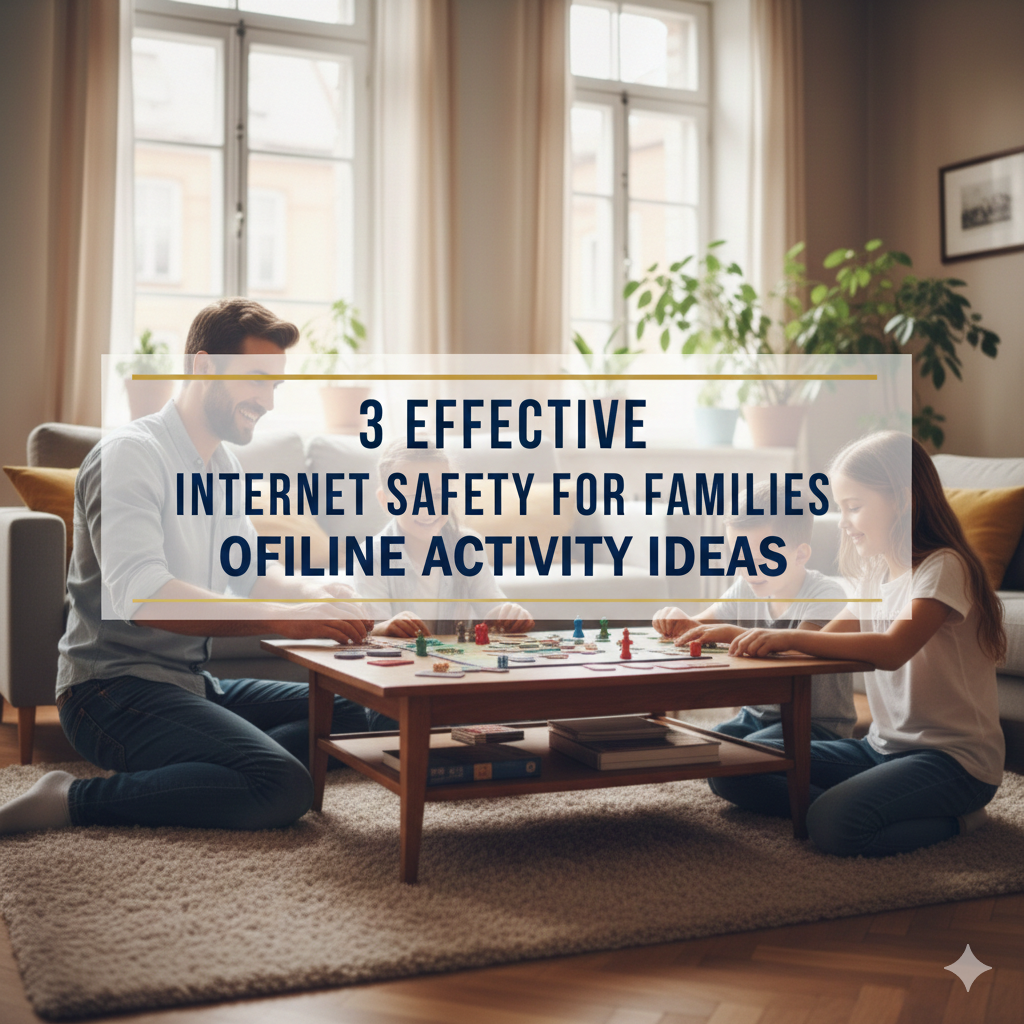
Turn your kitchen table into an internet safety school by creating a custom board game that teaches kids about keeping personal info safe.
Setting Up Your Game
For this one, you don’t need fancy material. Get a large poster board, markers, dice, and small things to use as game pieces. You can tailor these guidelines to fit your family’s specific concerns and your kids’ age levels, because that’s the beauty of building a board game.
Make a path here for the player to traverse through, about 30-40 spaces. Some squares will be regular move squares, some special challenge squares. Use other colors to designate other types of spaces:
- Green spaces: Safe behavior on the internet (move forwards)
- Red spaces: Privacy danger (answer a question to continue)
- Yellow squares: Points of decision (paths to choose from)
- Blue spaces: Bonus knowledge (add a safety tip card to your stack)
Rules That Do Teach Real Lessons
Play commences, and every player rolls the dice and travels along the board. They turn over a scenario card when they land on the red privacy risk square. These cards offer the actual challenges children experience on the internet:
“You have a new online friend who wants to send you a birthday gift and requests your home address. What do you do?”
“You’re trying to add a picture from your soccer game. What information must you verify before passing it along?”
“Someone in your favorite game will give you free coins if you share your password. How do you respond?”
The situation is discussed by the rest of the family. If the player guesses safely, they go on. If they choose the risky option, then move back three spots and discuss why that would be risky.
Creating Scenario Cards That Matter
Here’s where you give this game some power. Get out a pen and paper with your kids, and come up with situations that they’re likely actually to face. Perhaps your daughter plays Roblox and she’s inundated with friend requests. Perhaps there are comments beneath a YouTube video that your son watches, wondering about personal matters.
Write 20-30 scenario cards of actual platforms and situations. Include varying levels of difficulty, so both young and older kids feel challenged.
Scenarios on the lower level of difficulty could include questions about sharing your pet’s name or putting up pictures of your house. Moderate-intensity scenarios may include chat requests, comment sections, or email from unknown sources. Difficult level scenarios could involve cyberbullying, suspicious links, or pressure from online friends.
The Privacy Information Table
Make up a quick reference table for players to use during the game. This graphics-based guide lets kids know what to keep private:
| Information Type | Safe to Share Online | Why or Why Not |
|---|---|---|
| First name only | Sometimes | Okay (with parent permission) on child-appropriate, and monitored/parent-approved platforms |
| Full name | Never | Strangers can find you / pretend to know you |
| Home address | Never | Tells strangers exactly where you live |
| Phone number | Never | Strangers can contact you directly |
| School name | Never | Makes it easy for them to find you |
| Birthday (full date) | Never | Used for stealing identity/passwords |
| Favorite hobbies | Sometimes | Okay to tell WHAT activities, but not with identifying details |
| Photos of yourself | Sometimes | With parent permission, privacy settings at max level |
| Photos showing your location | Never | Reveals where they spend time |
| Vacation plans | Never | Tells strangers when your home is empty |
Print out the table and laminate it, and you’ll have a permanent reference tool as your family continues to play games on subsequent nights.

Making It Competitive and Fun
Children stay connected through an added point system. Award points for:
- Correct safety decisions (10 points)
- Describing why something is dangerous (5 points)
- Suggesting safer alternatives (5 points)
- Teaching a younger sibling about the situation (10 points)
Whoever has the most points at the end picks the next family activity or selects dessert for the week. Tiny victories stoke motivation without turning the game into homework.
Play this game once a month. Add more complex situations as your kids get older. Keep the cards updated with new popular apps or online trends that you have observed.
Why This Board Game Works
This works because it takes the stigma away from being wrong. In a real online environment, one errant click was all it would have taken to reveal personal information. But on a board game, kids can fail safely and learn to play better as a result of that failure.
You are also creating a common language. So when your daughter comes to you later with requests to join a new social media platform, you can refer back to specific things in the game you all experienced. “You know that yellow decision space where the character needed to decide between a public and private account?”
The act of moving pieces, rolling dice, and drawing cards on a board keeps fidgety kids engaged longer than any lecture ever could.
Activity 2: The Social Media Profile Craft Project
Teach children about privacy settings and digital identity with this hands-on art project modeled after social media profiles.
Gathering Your Creative Materials
You will need construction paper in multiple colors; magazines to cut pictures from; markers; stickers, glue, and scissors; and printouts of typical social media interface elements. If you want to get fancy, pick up some decorative tape and letter stickers too.
The aim is to make physical “social media profiles” for characters, or even family pets. These would help kids distinguish between sharing information publicly and privately.
Assembling the Profile, One Point at a Time
For the profile page of each family member, make a poster sheet. Start with the basic layout. Sketch a feature that appears to be profile photos, bio sections, post regions, and friend lists.
Now comes the teaching moment. You will need to speak about each section here before laying down any information.
What goes in a public profile, viewable by everyone? What private details are only for friends to see? What should stay completely private?
Make three sections of colored construction paper:
Green section (Public): Content everyone can view safely and freely
- A playful username that does not include your real name
- Broad ones like “loves soccer” or “enjoys drawing”
- Posts about issues you’re passionate about (just not personal)
Yellow level (Friends only): Information shared for your real-life friends
- Photos that do not reveal your school and home
- More specific interests and activities
- Interactions with verified friends
Red – Private/Never Share: Content that does not go online
- Full name, age, birthday
- Address, phone number, email
- School name and schedule
- Family information
- Passwords and account details
The Privacy Settings Activity
Here’s where it gets interactive. Design paper “privacy locks” that students can layer over certain parts of their profile. These locks represent privacy settings.
Make some locks easy to open (weak privacy settings); others put multiple latches on (strong privacy settings). Talk about the sections that need the firmest lock.
Role-play different scenarios. “Let’s say someone who doesn’t know you happens on your profile. What can they view with your current locks in place?” Tell children to have kids take locks off the screen to demonstrate what information is now visible.
This tangible demonstration lets such abstract privacy ideas become suddenly real.
The Comparison Chart
Generate a side-by-side comparison of individual with two different privacy attitudes:
| Profile Element | Risky Approach | Safe Approach |
|---|---|---|
| Username | RealName2015 | DragonFan2015 |
| Profile Photo | Face easily seen with school uniform | Avatar or photo without identifiers |
| Bio | Full name, age, school, where I live | Hobbies & Interests only |
| Posts | “Can’t wait for summer break! House empty next week!” | “This summer is going to rock!” |
| Photos | House address displayed, school name on shirt | Background blurred, no personal information |
| Friends List | Public, all contacts viewable | Private, only confirmed friends can see |
Create role-playing scenes and have kids discuss why each approach is safe or unsafe.
Adding the Digital Footprint Element
Extended practice: Create a “digital footprint trail” across the floor of your living room. Create colorful paper footprints running from room to room. Every footprint is something the fictional character has shared online.
Begin with less threatening posts, but then gradually demonstrate how those small bits of information can come together. One footprint reads “I love basketball.” Another says “Going to the gym on Oak Street.” On another, it says “Can’t wait for practice after school.”
Separately, these seem innocent. But together, a stranger now knows your sport, gym, and after-school routine.
Take the kids on a stroll down the footprint trail. Talk about how every post, comment, and like is a footprint. And even deleting posts doesn’t always remove them entirely. For more comprehensive internet safety resources and guidance, families can explore additional tools and information online.
The Oversharing Gallery
Make a gallery wall out of “posts” which illustrate oversharing. These can be silly or serious, depending on your family’s style. Examples might include:
- A holiday snap that features luggage tags with a full address on display
- A birthday post that showed the birth date exactly
- A photo of your school achievement with the name of school visible
- A complaint about parents and their work hours
Have kids play detective. Do they see what is off about each post? What information could strangers gather? What could be done to make each post safer?
Why Crafting Profiles Works
Physical creation makes learning stick. Your kids aren’t just learning about privacy—with their hands, they are building it. The profiles turn into visuals that leave posters pinned to bedroom walls.
This process also shows kids that there’s nothing wrong with privacy, that wanting it isn’t the same as thinking you’ve got something to hide. It’s a matter of controlling what others know about you. Those locks aren’t secrets; they are boundaries.
The next time your child pleads with you to create a real social media account, you will have a reference point. “Let’s make it like the craft project. You remember what information had the strongest locks?”
Activity 3: The Internet Safety Role-Play Theater
Transform your family room into an acting studio, where children practice reacting to online scenarios both through improvisation and scripted situations.
Setting the Stage
Assign different parts of your room to different online spaces. The couch becomes a gaming platform. The dining room becomes its own social media site. The hall represents email and messaging apps.
Create simple props: paper signs saying “Public Chat,” “Private Message,” “Comment Section,” or “Online Game.” These signs can help kids grasp which sort of interaction they’re mimicking.
You don’t need acting experience. The awkwardness actually helps. When the adults are being a little foolish, kids feel comfortable, they relax, and they participate more honestly.
Scenario One: The Friendly Stranger
An adult family member pretends to be an online stranger. Begin a dialogue that appears innocent but ultimately requests more personal information.
Stranger: “Hey! I love that game too! What level are you on?”
Child: [Responds]
Stranger: “Cool! Every day after school, I play. What school do you go to?”
Pause the role-play. Discuss what just happened. Could the child detect the personal question? What should they say instead? Replay the scene with the child responding in a safer way.
Practice multiple variations. So sometimes the stranger sounds quite nice and gives gifts. Sometimes they pretend to be another kid. At other times, they claim to know the child’s parents.
Scenario Two: The Pressure to Share
Role-play scenarios in which the child’s online friends or group members compel them to share photos, passwords, or personal details.
Friend: “Everyone in the group is sharing their passwords so we can help each other level up faster. Don’t you trust us?”
This situation is a lesson to children that true friends respect boundaries. The role-play gives them experience in saying no without feeling bad.
Practice different responses:
- “I’m not comfortable sharing passwords.”
- “That’s a rule I have with my parents.”
- “Let’s figure out another way that we can help each other.”
- “If you are a true friend, you will not pressure me.”
Scenario Three: The Cyberbullying Situation
This one is delicate, but essential. Role-play different cyberbullying situations and have the child rehearse responses.
Teach kids the three-step response:
- Don’t respond to mean messages
- Save evidence (screenshot)
- Tell a trusted adult immediately
Role-play reporting procedures. Have children practice walking to a parent and saying, “I need to show you something that happened online.”
The Response Decision Tree
Here’s a suggested plan for making an oversized flowchart to put on the wall for kids to refer to when role-playing:
Someone contacts you online: ↓ Do you know them in real life? → No → Keep conversation limited, don’t share personal details → Yes → Still be cautious with what you share ↓ Are they asking personal questions? → Yes → End chat, tell a parent → No → Proceed cautiously ↓ Are you uncomfortable? → Yes → Exit chat and report to a parent immediately → No → Continue, but be on the lookout
Walk through this decision tree a few times with various scenarios until the logic is intuitive.
The Trust Your Gut Exercise
Play an online message game; read messages out loud, and kids give thumbs up (feels safe), thumbs middle (not sure), or thumbs down (feels wrong).
Messages might include:
- “That’s a cool shirt! Where did you buy it?” (Probably fine)
- “You’re so talented! What is your email so I can send you some opportunities?” (Suspicious)
- “Your dog is cute! What’s his name?” (Slightly risky but minor)
- “I’m a talent scout. Send me your address and I will send a contract.” (Very dangerous)
Explain why each message deserves its rating. Help children hone their intuition for detecting manipulation, pressure, or inappropriate demands.
Recording Practice Sessions
Film some role-play sessions with a phone or camera. Watch them as a family. This instant replay provides students with an opportunity to observe their body language, hear their tone, and reflect on their responses.
Celebrate good choices. “Look at that confident ‘no’ you said. That was perfect!” Also, talk about moments you can improve without criticism.
Why Role-Playing Builds Real Skills
Reading about internet safety is passive. Role-playing is active. Your children build muscle memory for safe responses.
And when a real situation occurs online, they won’t freeze. They’ve practiced this. They know what to say and how to say it.
The fact they’re being staged also helps kids wrap their heads around scary stuff. When your son does the role of a cyberbully, he develops empathy toward victims. As your daughter practices resisting pressure, she is building confidence.
Role-playing provides safe space for questions some kids may be too embarrassed to ask otherwise. In character, they can explore “what if” scenarios without admitting they’re worried about real situations.

Making These Activities a Regular Family Practice
Don’t think of these as once-and-done activities. Internet threats evolve constantly. New apps arrive, new schemes pop up, and your children grow into new online environments.
Organize quality time dedicated to internet safety one night a month. Cycle through the three activities, or make them your own. February could focus on password security with a scavenger hunt activity. March could include a video editing project about detecting fake news.
Make sure the activities are age-appropriate, but involve the entire family. Younger children can benefit from watching older siblings model good decisions. Older children learn by teaching the younger ones.
Develop a family internet safety notebook in which you keep scenario cards, role-play scripts, and pictures from craft activities. It is your own tailored safety manual.
Most importantly, keep communication open. Explain to your children that it’s not about not trusting them. They’re about getting kids ready for a digital world that’s not always safe.
Frequently Asked Questions
At what age should I begin doing offline internet safety activities?
Begin once your child has access to any device, which generally occurs at around ages 5-6. Adjust complexity based on age. Even young children may be able to process “don’t share your name with strangers online” through simple games. What teenagers need are more nuanced stories around social media, dating apps, and the management of privacy.
How often should families do these offline activities?
Shoot for at least once a month, with brief refreshers whenever your kid signs up for a new platform or app. Consistency matters more than duration. Thirty minutes of concentrated activity is better than a two-hour lecture.
What if my kid thinks these are boring or childish?
Get them to help plan the activities. Adolescents are more receptive when creating scenario cards or helping to craft role-play scripts. Frame activities as the road to independence, not rules and limitations. Have older children lead activities for younger brothers and sisters, which reinforces their learning as well.
Do such activities really act as a sufficient safeguard against online dangers?
There’s no one solution that guarantees safety, but practicing offline seriously minimizes risks. Research has shown that children who frequently discuss internet safety with parents make better online choices. These activities foster comfort talking about online experiences, which in turn helps children report problems before they become serious.
Should I include scary real-world stories with these activities?
Balance awareness with age-appropriate information. Younger kids must know that danger is out there without being frightened. For teenagers, that means using real-life examples but concentrating on prevention and empowerment, rather than fear. The aim is prepared caution—not paralyzed fear. According to Common Sense Media, age-appropriate digital citizenship education helps children develop healthy online habits.
What if I’m just not very well-versed in technology—how can I teach internet safety?
These are offline activities that don’t require tech know-how. They impart principles that work across platforms: Guard your personal information, verify who you are talking to, think before sharing, and trust your instincts. Learn alongside your children. Your questions model good critical thinking.
Taking the Next Step Together
Internet safety isn’t accomplished through one talk or even three activities. It’s an ongoing conversation that evolves as your kids mature and technology changes.
These offline activities offer you a structure to get that conversation started without screens getting in the way. You’re not just accumulating knowledge—you’re building habits, instincts, and, most important, trust.
Your kids need to know they have somewhere to go when something online feels wrong, without fear of losing device privileges. Doing these activities says to them that you’re on their side and you are there to prepare them, not restrict them.
Start with one activity this weekend. You don’t need perfection. You need to begin.
Print scenario cards for the board game. Gather craft materials for profile posters. Clear space for role-playing. Your effort sends a message to your kids: their safety is worth prioritizing.
The digital universe is not going to disappear. But with practice, preparation, and open communication, your family can navigate it safely together. One game night, one craft project, and one role-play session at a time.